 Syncgate


Answers with evidence,
citing a source for every sentence
Each sentence in an answer carries a source number, so the original text can be checked right away. For each question, Syncgate searches the document chunks within the user's permissions, reorders them with a reranker and keeps only the evidence the answer needs.
From tens of thousands of chunks,
only the evidence you need
For each question, the document chunks within the user's permissions are searched, a reranker reorders them, and only the evidence the answer needs is kept. Keep scrolling.
Before and after adoption
An AI answer may sound plausible, but there is no way to check what it is based on.
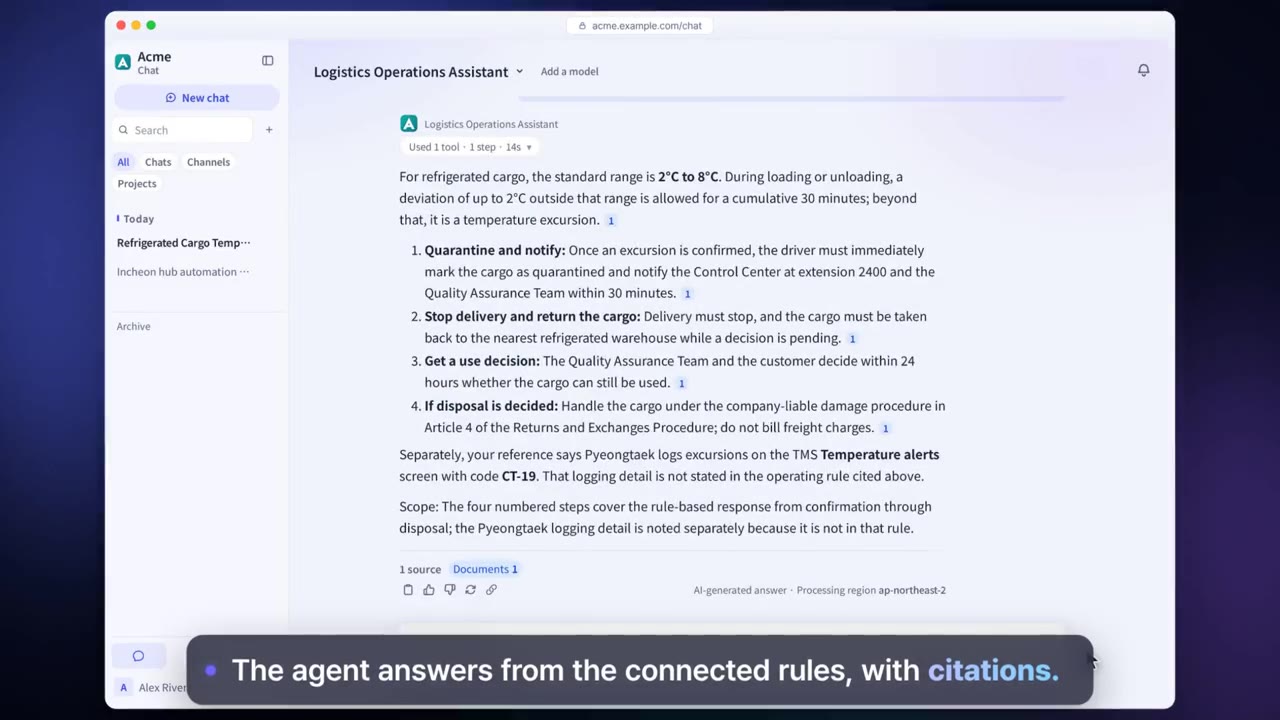
Every sentence carries a source number. Select the number to open the relevant part of the source document.
A policy has changed, but the AI may still answer from the old version.
Answers are based on the latest documents uploaded to the knowledge base, and you can check in advance with a search test.
There is no way to tell why search is not working well.
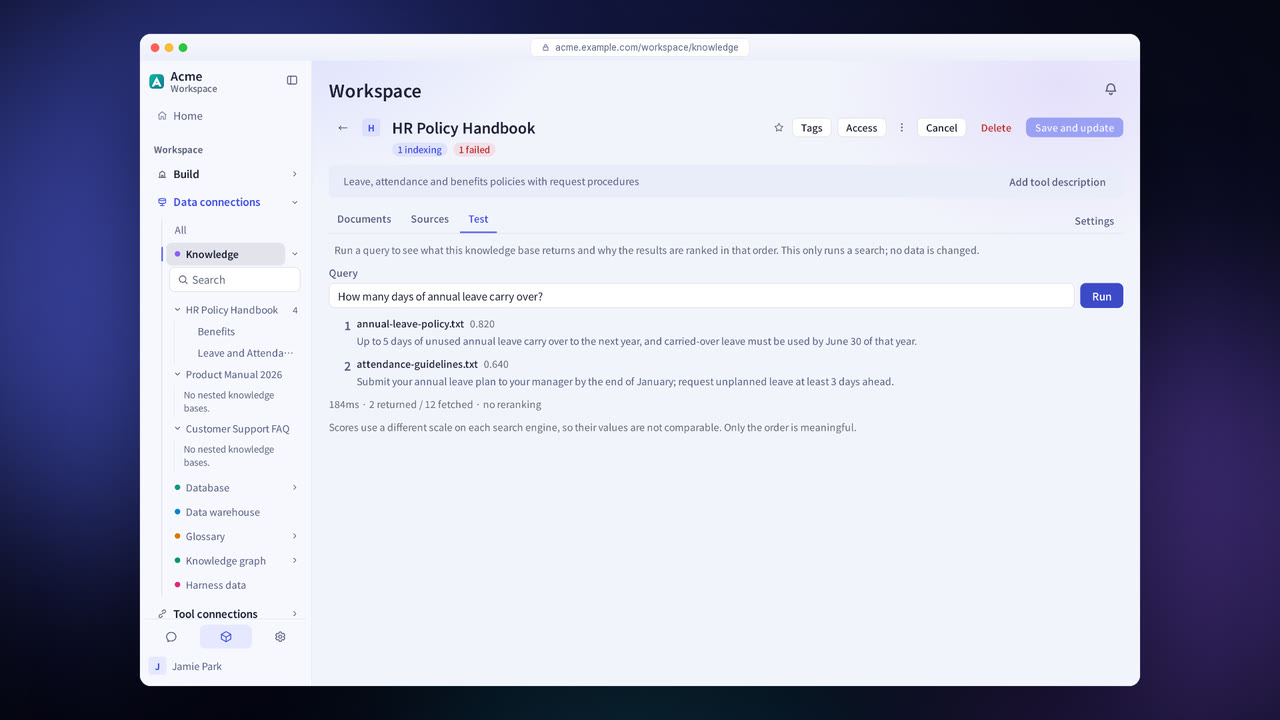
A search test shows which chunks are retrieved and in what order.
Four steps
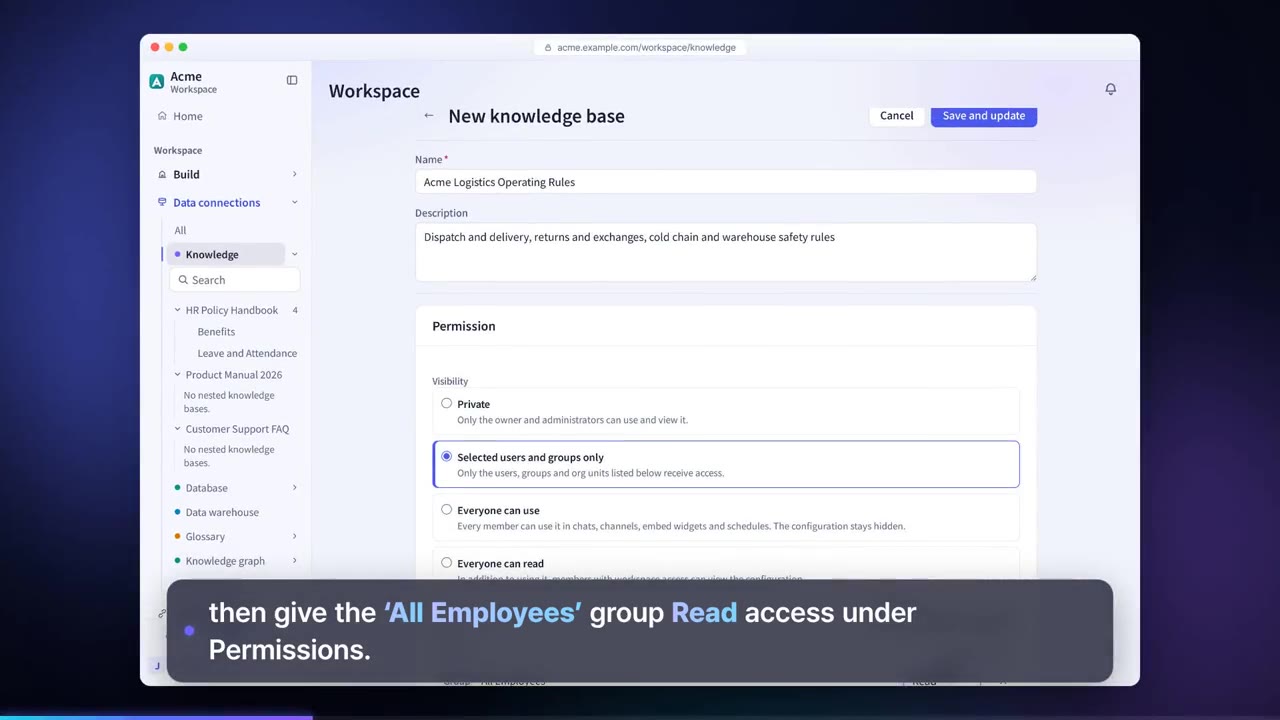
Upload files or connect a source with a connector. PDF and DOCX files are indexed as soon as they are uploaded.
Enter a question to see in advance which chunks are retrieved.
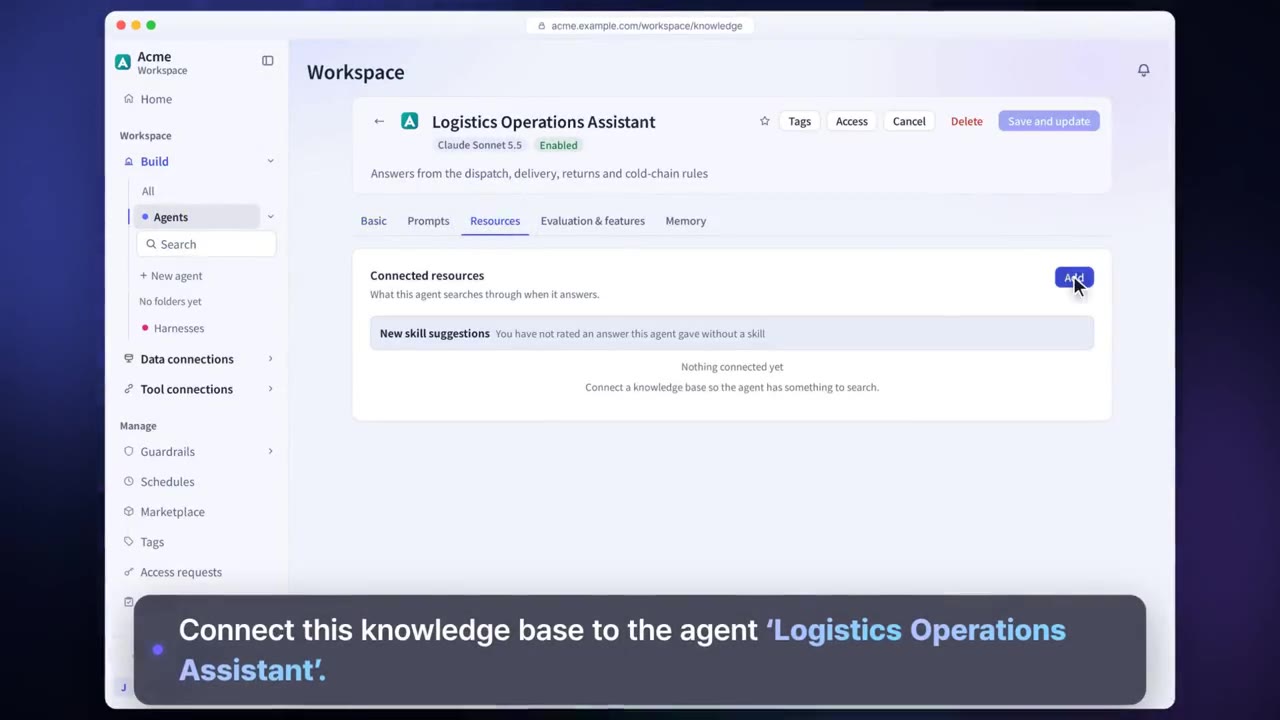
Connect the knowledge base to an agent as one of its resources.
Each sentence in the answer carries a source number.
Knowledge search and cited answers in detail
A source for each sentence
Each sentence in an answer gets the source number of the document it is based on.
Permission-scoped search
Searches only the documents the person asking can see.
Reranker
Reorders the retrieved chunks and keeps only the evidence needed.
Choice of search engine
Use the built-in search, or choose OpenSearch, Elasticsearch, Azure AI Search or another engine.
Search test
Check in advance which chunks each question retrieves.
Filters and metadata
Narrow the search by document attributes.
Settings each company configures
- Set the search engine and search profiles.
- Configure search quality settings such as chunking and the reranker.
- For Confluence, Jira, Slack, Box, Dropbox and others, choose for each connection whether to follow source permissions.
Figures reflect the product as of October 2026.
Related pages
Frequently asked questions about knowledge search and cited answers
Which files can I upload?
You can upload documents such as PDF and DOCX files, and they are indexed on upload. Formats the knowledge base cannot read can be read with the Data extraction harness.
Can we use the search engine our company already uses?
Yes. You can connect engines such as OpenSearch, Elasticsearch and Azure AI Search.
How do I check a citation that looks wrong?
Select the source number to see the relevant part of the source document right away, and use a search test to find the cause.
See it with
your own documents
In a consultation, we connect a few of your documents so you can check the answer quality for yourself. Send us your questions and our team will get back to you.