 Syncgate


Quality scores and
how answers are generated
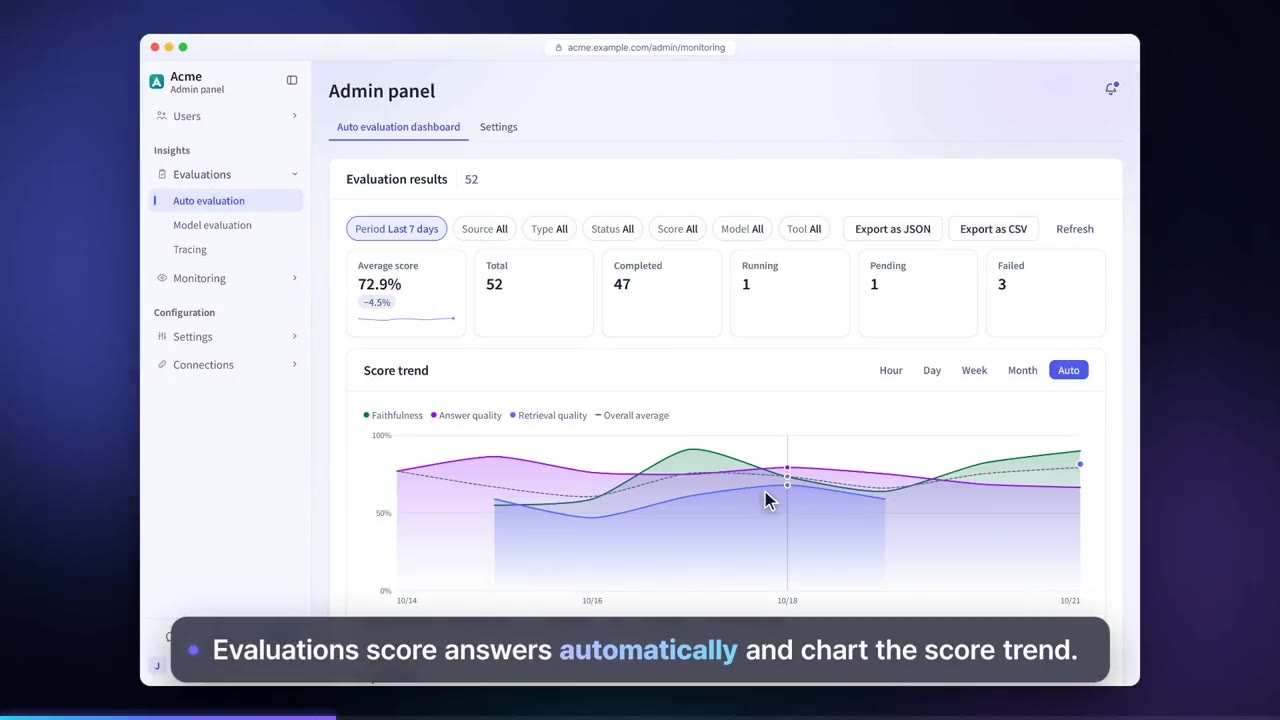
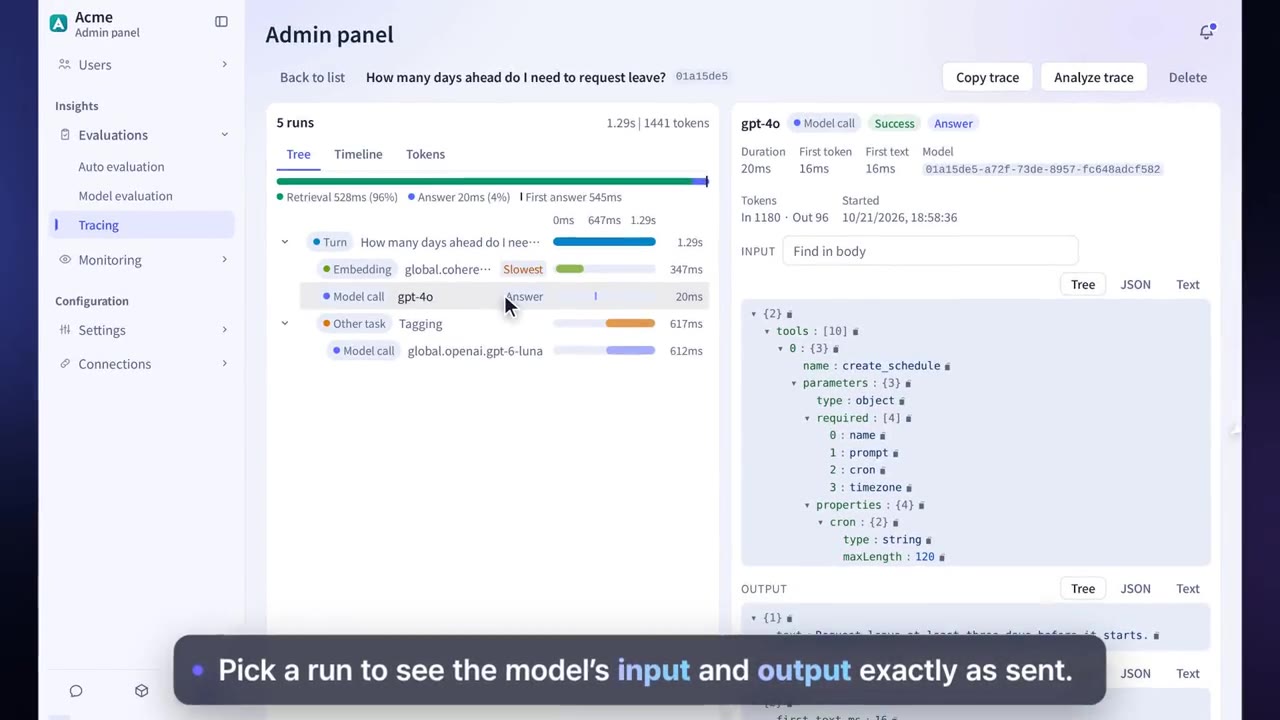
An evaluation model scores answer quality, faithfulness and retrieval quality. Traces record each search, model call and tool run with its duration and token usage, and can be exported via OpenTelemetry.
Quality scores and
how answers are generated
An evaluation model scores answer quality, faithfulness and retrieval quality. Traces record search, model calls and tool runs by time and tokens, and can be exported with OpenTelemetry.
Question: How far in advance must I request annual leave? · Sample data
Average auto evaluation score · Sample data
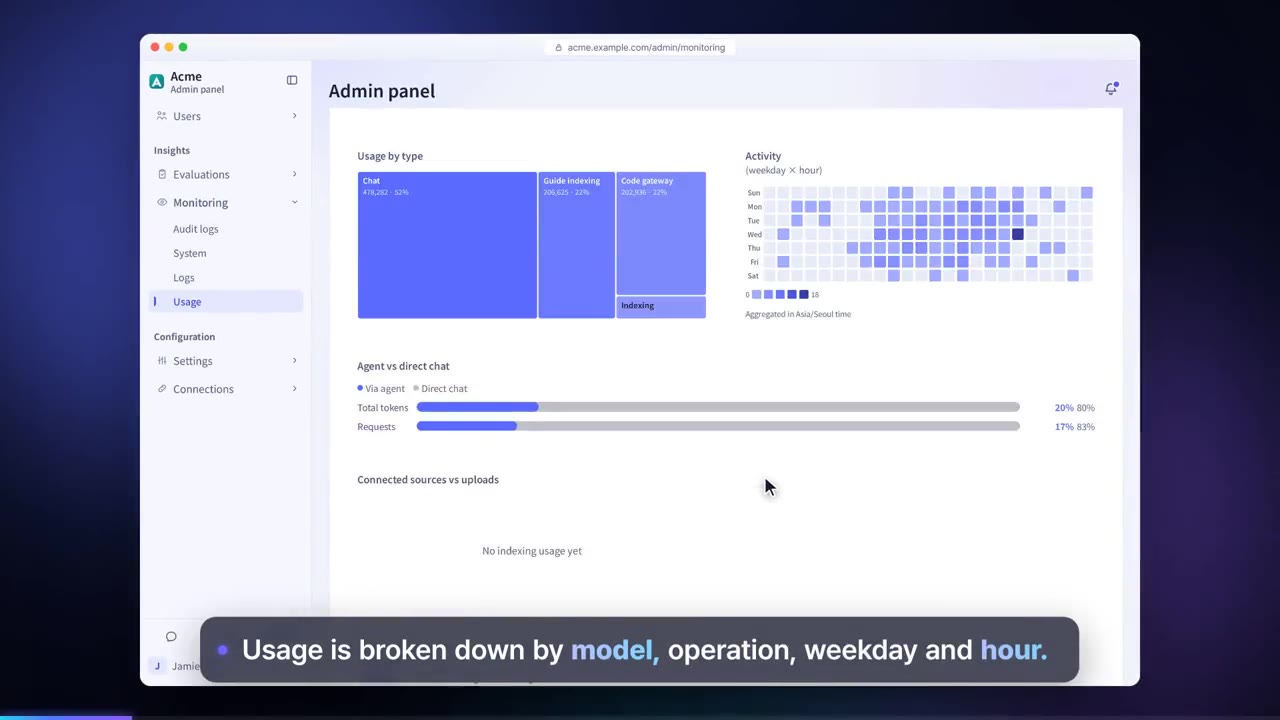
Trace conversations as well as scheduled tasks, document indexing and coding tool calls on the same screen. Usage, estimated cost and audit logs sit in the same admin panel.
Before and after adoption
The model for a task is chosen without evidence.
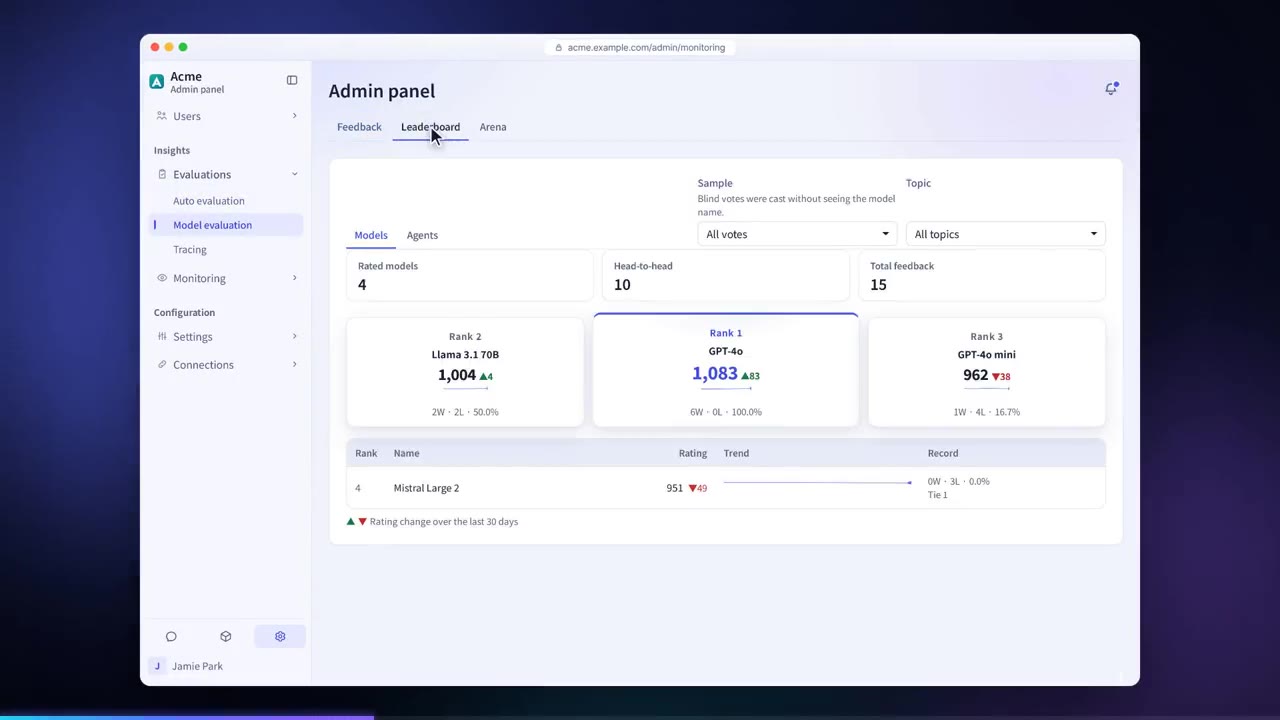
Compare models on the leaderboard and in the Arena, where model names are hidden, then choose.
When an answer is slow or wrong, no one knows where the problem is.
Traces show search, model calls and tool runs span by span.
When something goes wrong, you find out late.
Set alert conditions and get notified by email or webhook.
Four steps
Turn on auto evaluation for each agent and choose an evaluation model.
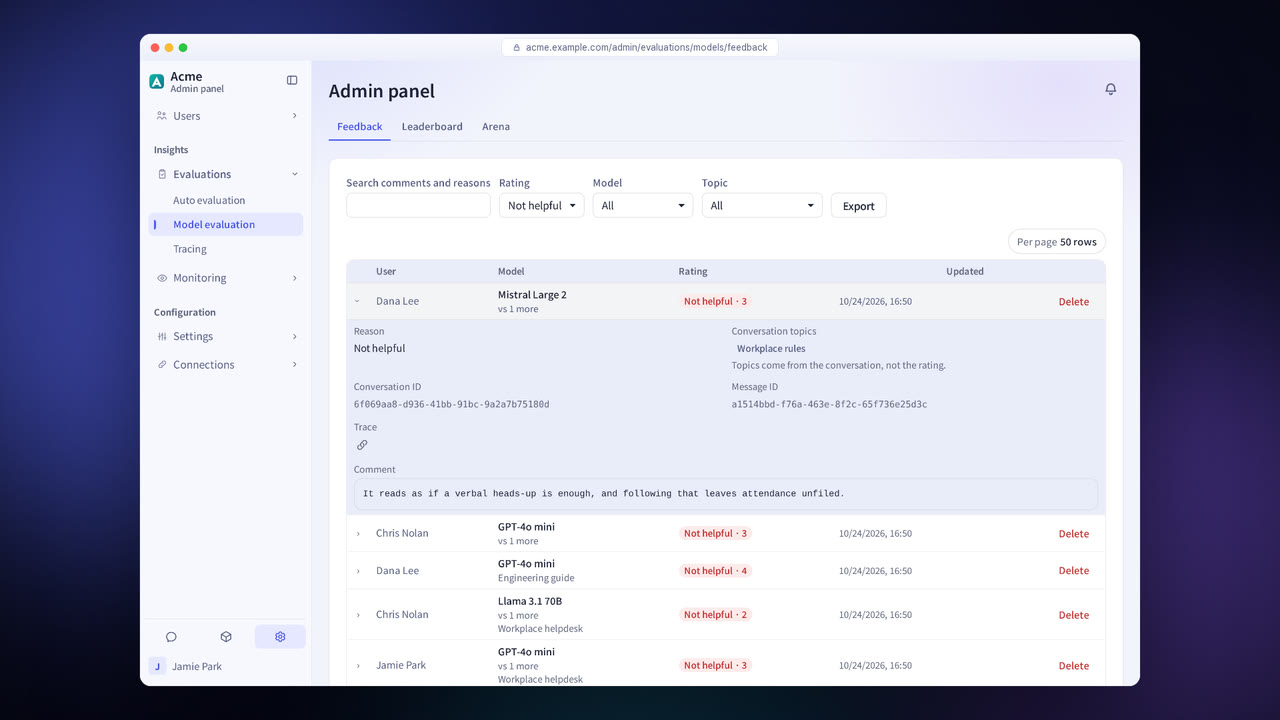
Collect the ratings and comments users leave on answers.
Compare models and agents with the leaderboard and the Arena.
See the processing steps in traces, and get notified when an alert condition is met.
Evaluation and tracing features in detail
Auto evaluation
Scores answer quality, faithfulness and retrieval quality.
Feedback
Collects users' ratings and comments on each answer and exports them.
Leaderboard
Compare the scores of models and agents.
Arena
Get two answers with the model names hidden and pick the better one.
Traces
View the processing steps as a tree and a timeline, and check token usage.
OpenTelemetry export
Send traces to your company's monitoring tools.
Alerts
Sends a notification by email or webhook when a condition you set is met.
Usage and cost
See usage and estimated cost by model and user.
Settings each company configures
- Set the evaluation model and what it evaluates.
- Set alert conditions and notification channels.
- Choose whether to export traces via OpenTelemetry.
Figures reflect the product as of October 2026.
Frequently asked questions about evaluation and tracing
Does evaluation incur model costs?
Yes. An evaluation model does the scoring, so its calls cost money. The administrator decides what is evaluated and with which model.
Is work other than conversations traced too?
Yes. Scheduled tasks, document indexing and coding tool calls are traced on the same screen.
Does it integrate with our monitoring tools?
Yes. Traces are sent via OpenTelemetry and audit logs via syslog.
See it with
your own documents
In a consultation, we connect a few of your documents so you can check the answer quality for yourself. Send us your questions and our team will get back to you.