 Syncgate


Apply company policy to
developers' AI coding tools too
The code gateway routes requests from developers' AI coding tools to the company gateway. It identifies each developer by an issued key and checks requests for repositories, files and commands on the block list. Requests are handled only by models the administrator has chosen and are recorded in the coding session log.
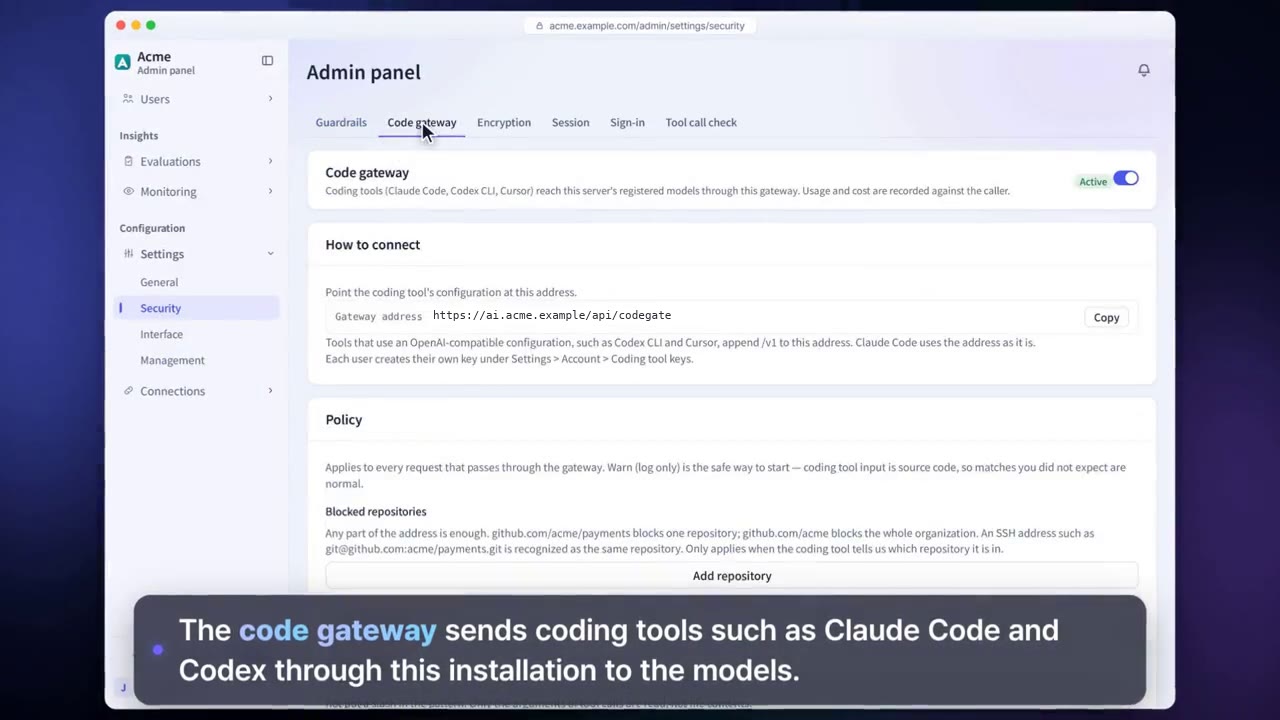
Apply the same policies
to every model call
Connect models from 23 providers, across vendor APIs, cloud, gateways and self-hosting, to one gateway. Requests from coding tools get the same policies and logging.
Policy violations are logged as warnings by default, and administrators can switch them to blocking. Set which users and groups can use each model, along with daily token limits and pricing, to manage cost.
Before and after adoption
When developers use coding tools with personal accounts, there is no way to know where the source code goes.
Requests from coding tools are sent through the company gateway, and only to allowed models.
Files that hold sensitive data, such as .env, can be sent to the model.
Syncgate checks for repositories, files and commands on the block list, and warns or blocks.
There is no record of who sent which code to AI.
Call records and costs are kept in the coding session log.
Four steps
The key issued to each developer identifies who sent the request.
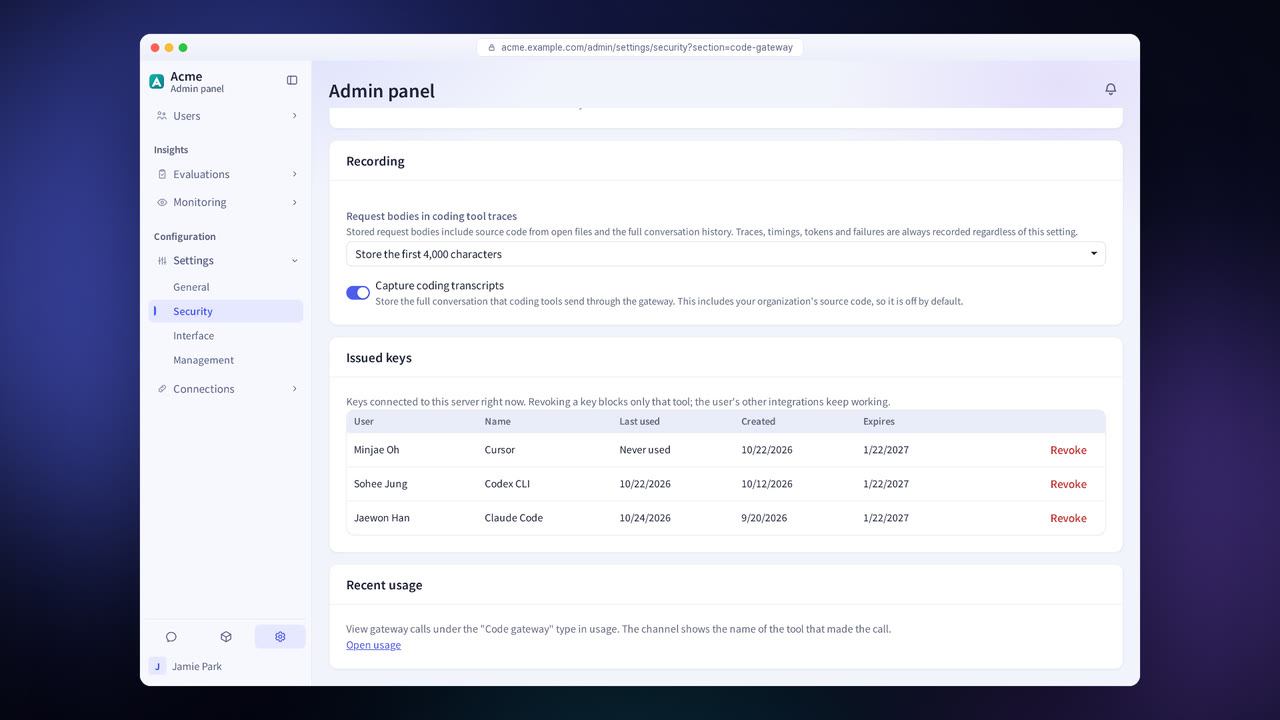
Check whether the request contains repositories, files or commands on the block list.
Guardrails check the request for sensitive data.
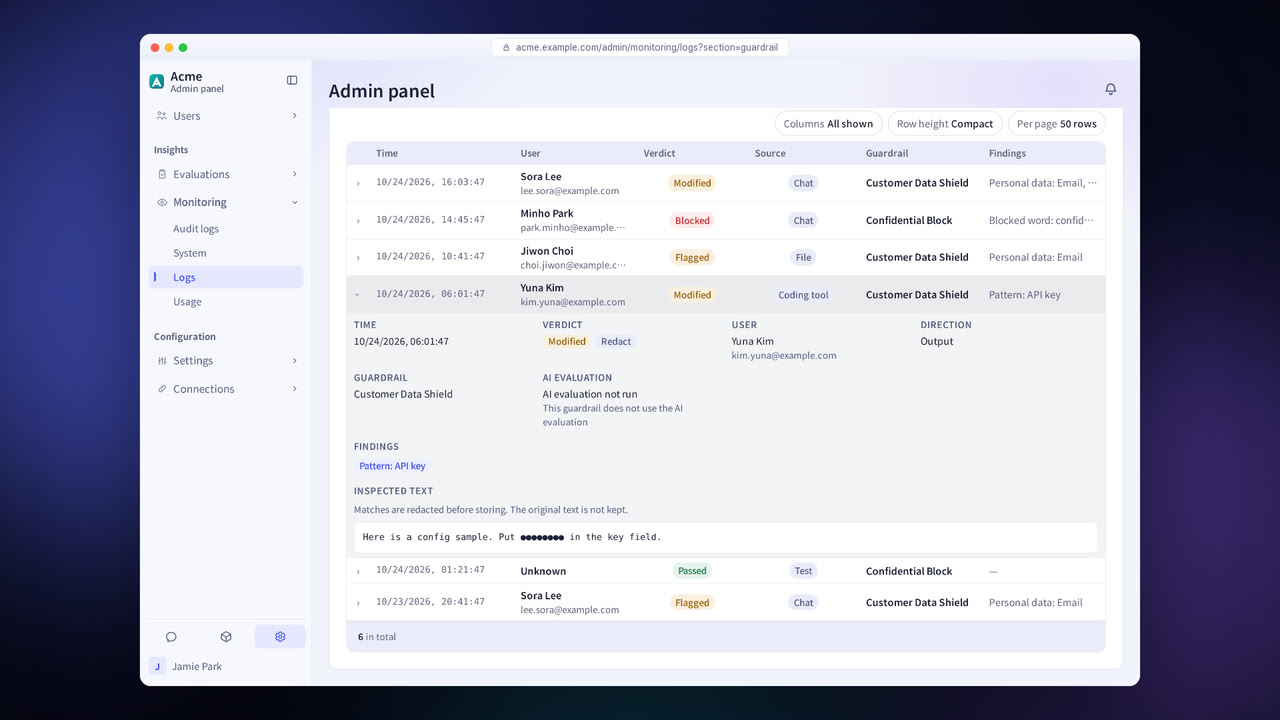
The request is handled by the model the administrator designated, and the call record and cost are kept in the coding session log.
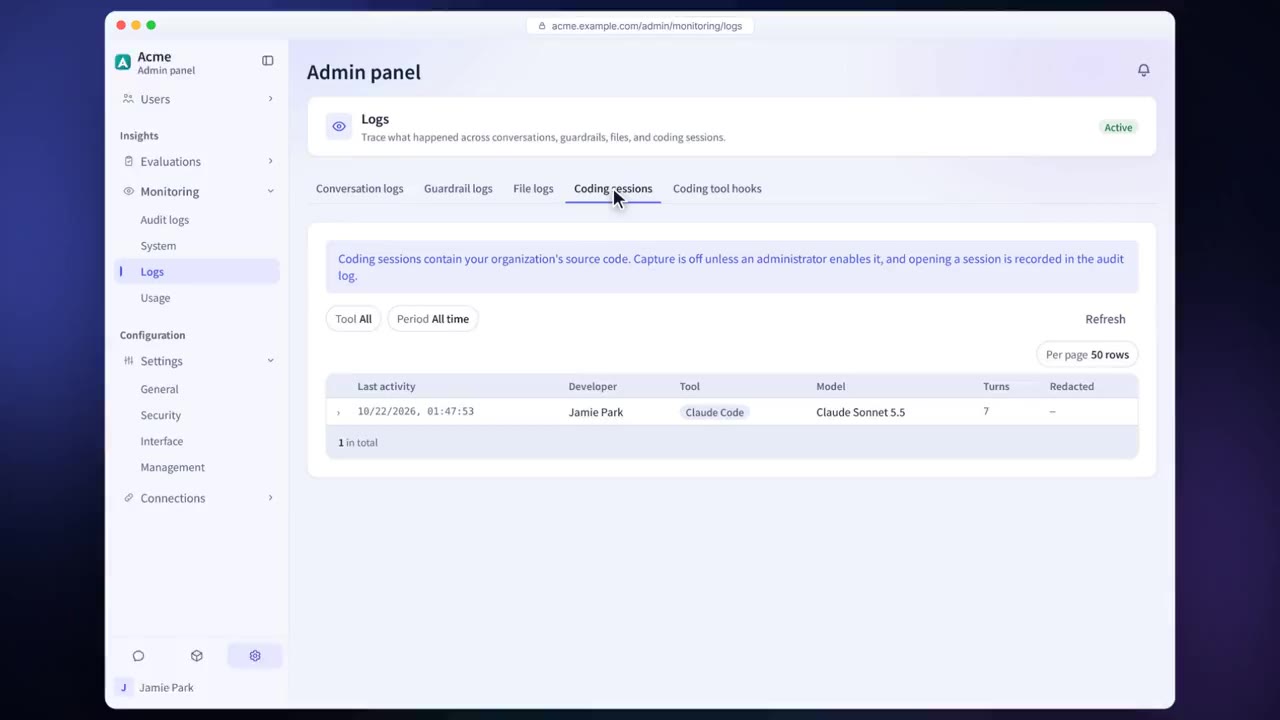
Code gateway features in detail
11 coding tools
Connect 11 coding tools, including Claude Code, Codex, GitHub Copilot CLI and OpenCode.
Repository, file and command blocking
Policy violations are logged as warnings by default, and administrators can switch them to blocking.
Allowed models
Set which models coding tools can use.
Key issuance
Issue and manage a key for each developer.
Enforced settings on developer PCs
Distribute settings so that coding tools on developer PCs send their requests through the gateway.
Coding session logs
See call records and costs for each coding tool in one place.
Settings each company configures
- Set the block list and the warn and block policies.
- Set the models coding tools use.
- Issue keys to developers.
Figures reflect the product as of October 2026.
Frequently asked questions about the code gateway
Which coding tools are supported?
It supports 11 coding tools: OpenCode, Kilo Code, Hermes Agent, Qwen Code, GitHub Copilot CLI, Goose, Grok Build, GitHub Copilot in VS Code, Antigravity CLI, Claude Code and Codex.
What if a developer bypasses the gateway?
Coding tool settings can be enforced on developer PCs so that the tools send their requests through the gateway.
Do we have to block from the start?
No. By default only warnings are logged, and administrators can switch each item to blocking.
See it with
your own documents
In a consultation, we connect a few of your documents so you can check the answer quality for yourself. Send us your questions and our team will get back to you.