 Syncgate


Help AI understand your company's
terms and abbreviations
A glossary is a list of your company's terms with their meanings, synonyms and relations. Before answering, an agent looks up the terms in the question in the glossary and passes their meanings to the model.
Before and after adoption
Each department calls the same thing by a different name.
Set a preferred name and synonyms, and a question is understood the same way whichever name it uses.
AI misinterprets in-house abbreviations.
The meanings of the terms in a question are passed to the model before it answers.
Nobody knows who changed a term's definition, or when.
The change history and confirmations are recorded.
Four steps
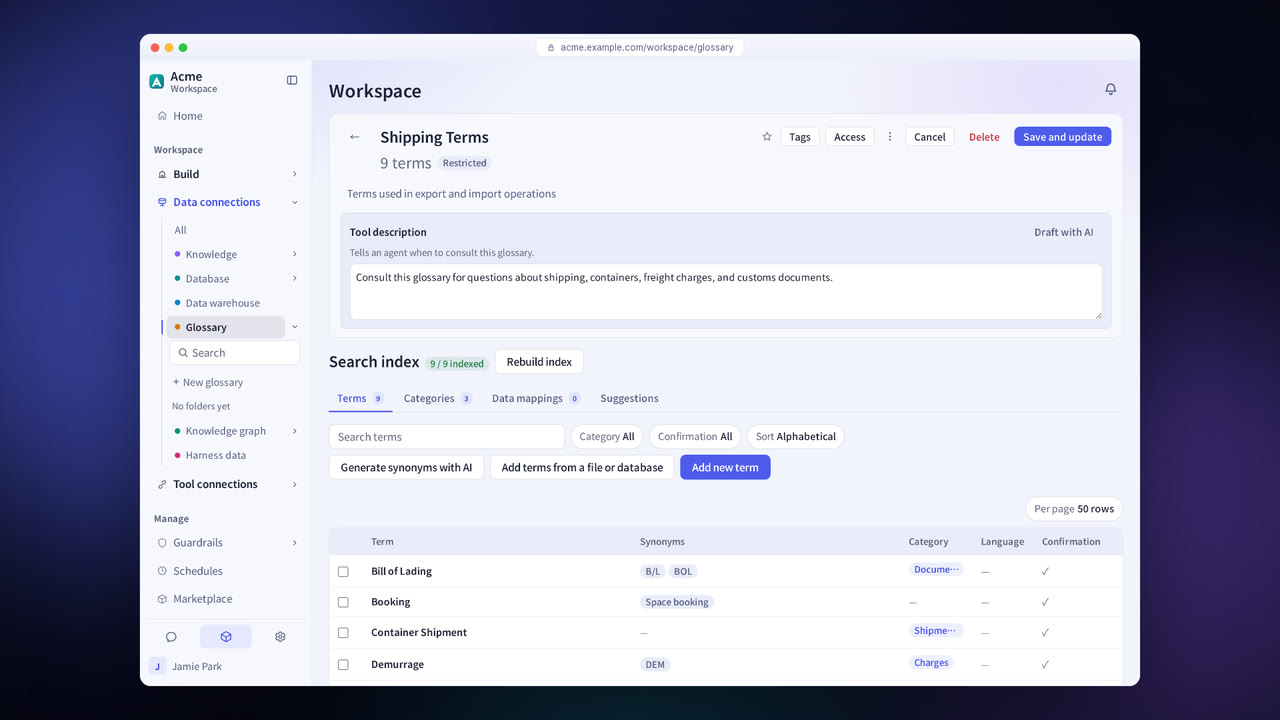
Enter terms yourself or import them from a file or database. You can also create a new glossary from a SKOS or OpenMetadata file.
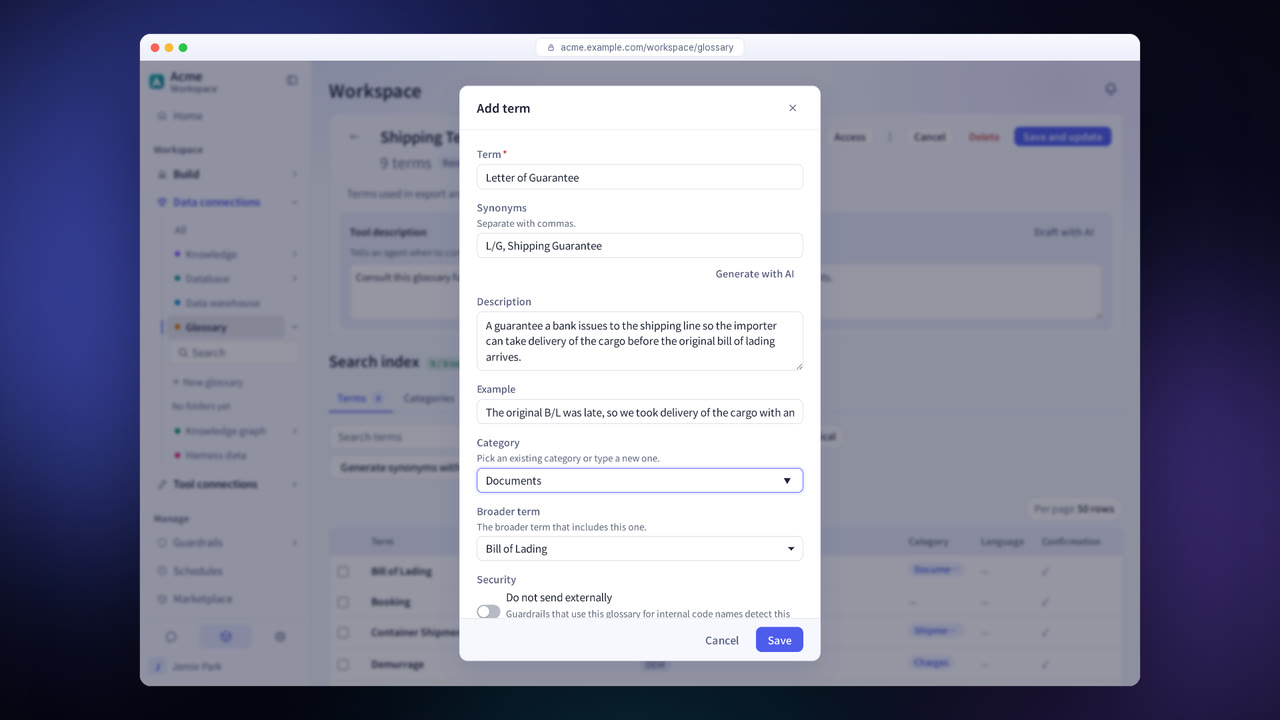
Enter the preferred name, synonyms, relations to other terms and categories.
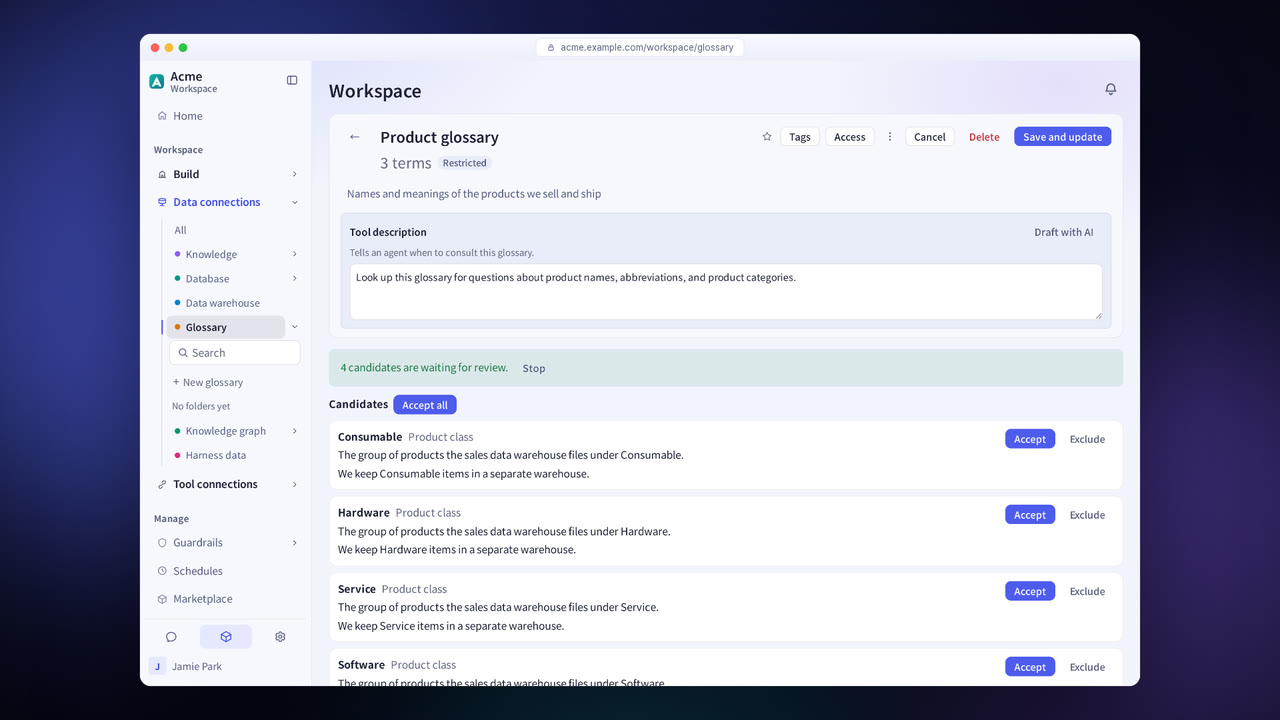
The system suggests term candidates it finds in documents and in words that agents could not find in the glossary. You decide for each candidate whether to apply it.
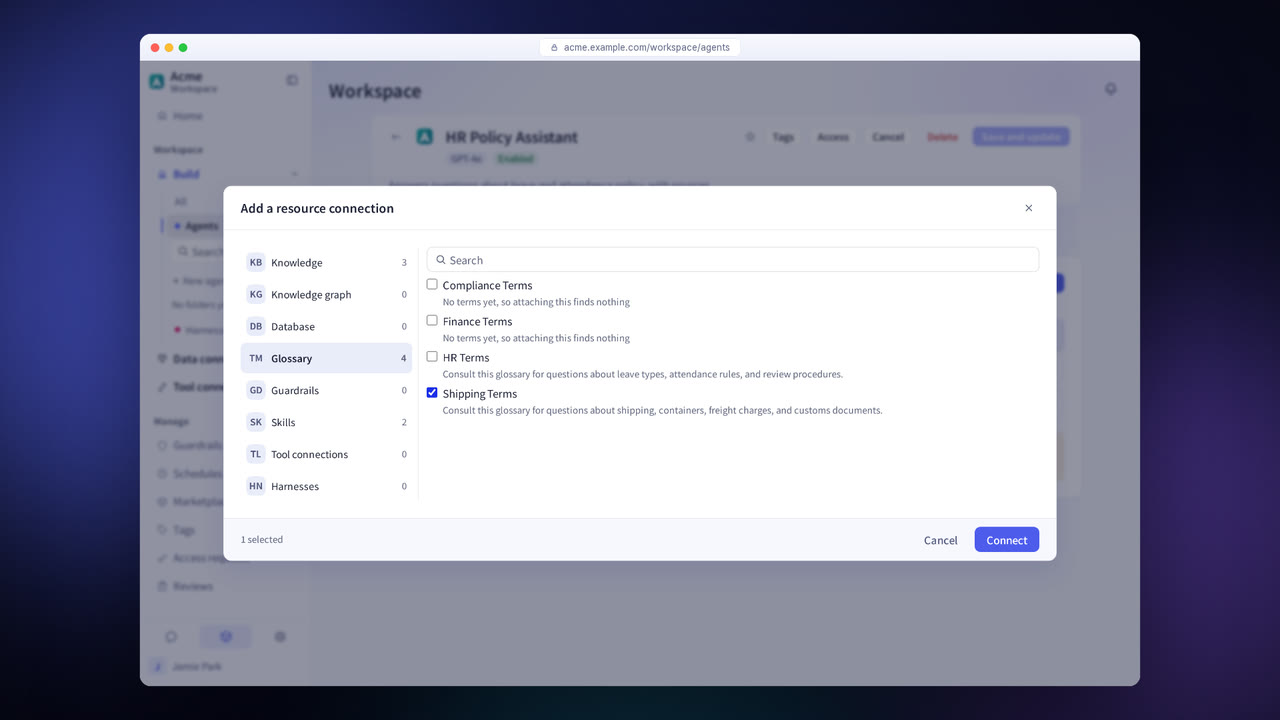
Connect the glossary to an agent, and the agent uses the terms' meanings in its answers.
Glossary in detail
Preferred names and synonyms
Set preferred names and synonyms for each language.
Relations and categories
Record relations to other terms and sort terms into multiple categories.
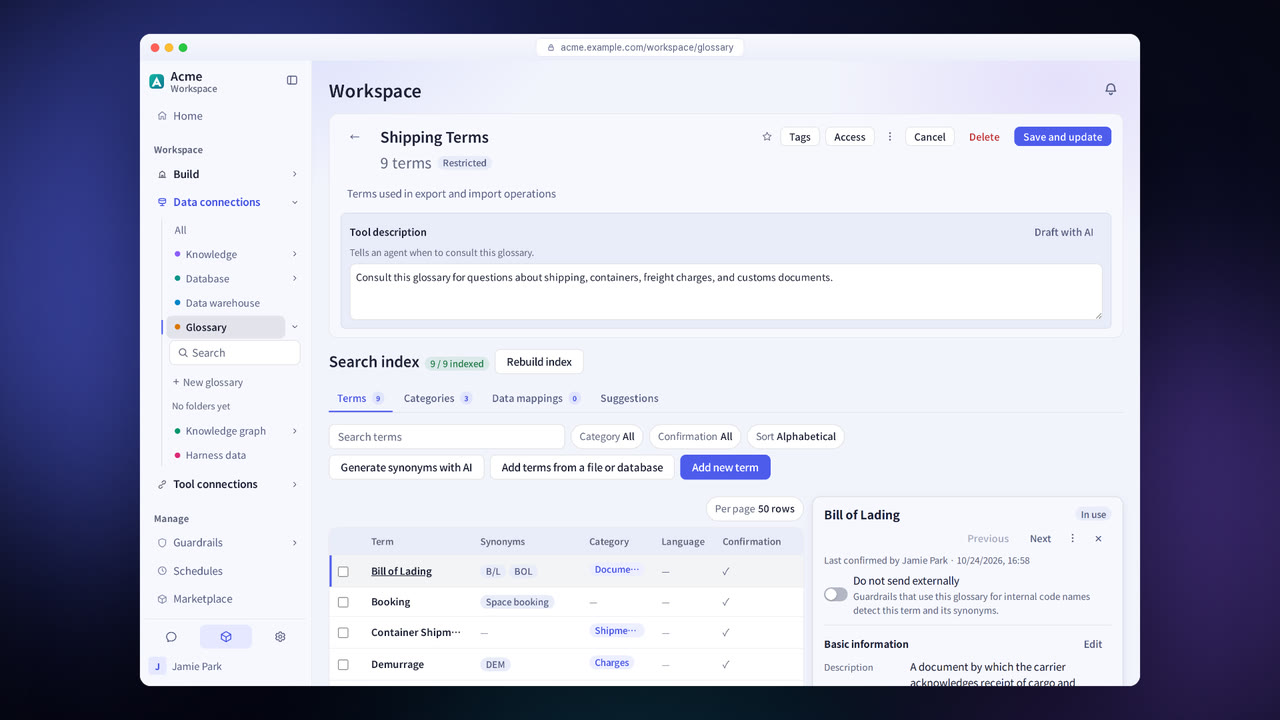
Change history and confirmation marks
Shows who changed and confirmed each term, and when.
Import
When you import from a file or database, AI helps with the column mapping.
Export
Exports to SKOS, OpenMetadata, ODCS and other formats.
Candidate suggestions
Suggests term candidates and synonyms from words that agents could not find.
Settings each company configures
- Share the glossary and choose who can edit it.
- Review the suggested term candidates.
- Choose the exchange format to use with your data catalog.
Figures reflect the product as of October 2026.
Related pages
Frequently asked questions about the glossary
Can we use it with our existing data catalog?
Yes. Terms are exchanged in SKOS, OpenMetadata and ODCS formats.
Do we have to write everything from scratch?
No. You can import terms from a file or database, and review and add the candidates the system suggests.
Is it used for database queries too?
Yes. The agent interprets questions based on the definitions in the connected glossary, so it finds the right columns even when you ask in company terms.
See it with
your own documents
In a consultation, we connect a few of your documents so you can check the answer quality for yourself. Send us your questions and our team will get back to you.