 Syncgate


Use Syncgate to augment and manage
the agents you already run
Employees use the same agents in Microsoft Teams, in a chat widget on the company portal and in company systems. Agents built in-house and external AI apps use the company data organized in Syncgate within each user's permissions, and are subject to the same security rules and logging.
Augment with company data,
manage under the same rules
Agents built in-house and external AI apps use the company data organized in Syncgate, and are subject to the same security rules and logging.
Augment with company data
In-house agents · external AI apps→Company documents · databases · glossaries · knowledge graphs · work instructions
- External AI apps find and use company data within the permissions of the person who connected them.
- With document classification turned on, documents at the levels an administrator sets (Confidential and Restricted by default) are left out of the results.
- In-house programs call agents built in Syncgate and get answers, with each agent's data and guardrails applied.
Manage with Syncgate
Model calls from existing agents→Allowed models · guardrails · usage limits · usage records
- When an existing agent calls models at Syncgate's address instead, it can use only the models an administrator allows, and usage limits are set for each access key.
- Guardrails check questions and answers. Calls are recorded in usage and conversation logs and count toward the user's daily limit and budget. They do not appear on the Traces screen, which shows processing steps.
- Results that external AI apps retrieve are also checked by guardrails, and each call is recorded in the audit log.
SettingsConnections from external AI apps and from company systems can be used only after an administrator turns them on.
Use the same agents
in the tools employees already work in
Employees use the same agents in Teams, the company portal and in-house programs, without learning a new interface.
Microsoft Teams bots
Set which agent answers in each channel. Answers are generated with the permissions of the person who asked and sent to them in a private chat.
Company portal chat widget
Add the chat widget to allowed sites and choose the sign-in method (Sign-in required, IdP token exchange or Open to visitors).
Connecting company systems (API)
In-house programs call agents and models with a user's key and get answers.
Before and after adoption
When employees have to learn how to use a new screen, they tend not to use it.
Employees use it right inside Teams chats and the company portal.
When AI is connected to each company system separately, each system ends up with its own management standards.
Requests from every channel are handled by the same gateway.
The development team would have to change existing code written for the OpenAI API.
With an OpenAI-compatible API, existing code works as is.
Four steps
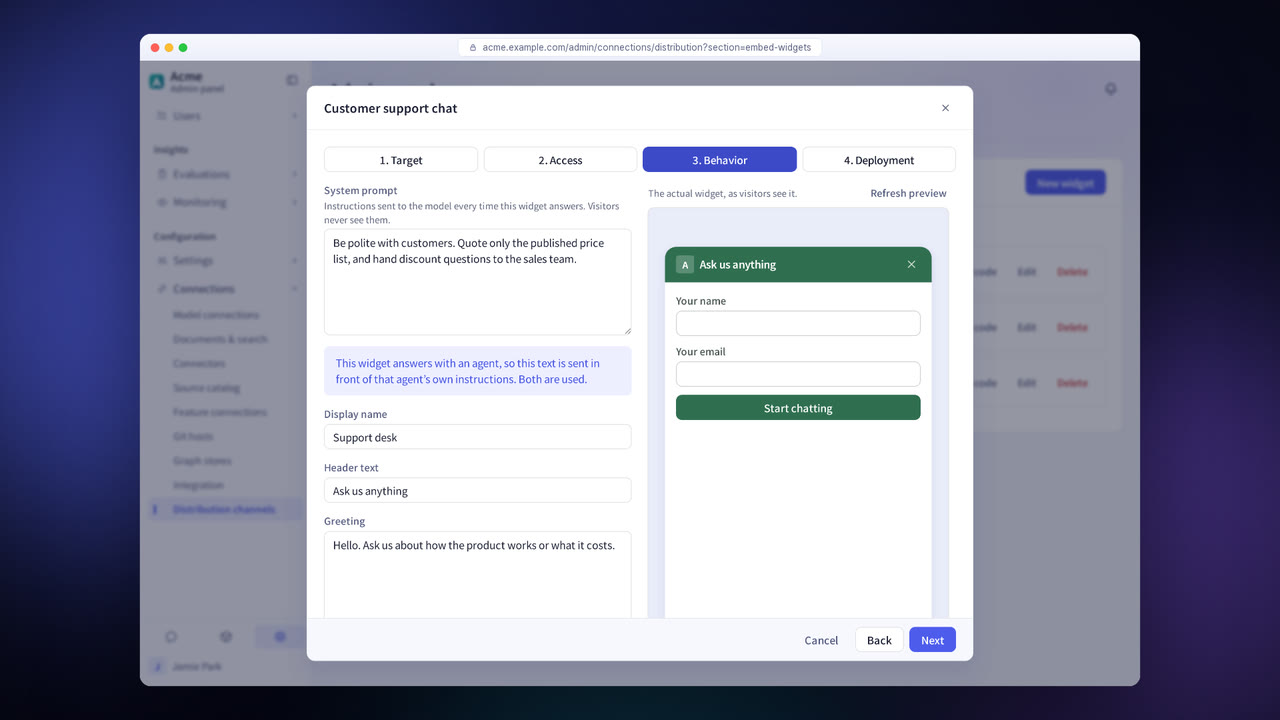
Choose a Teams bot, a web widget, the API or MCP.
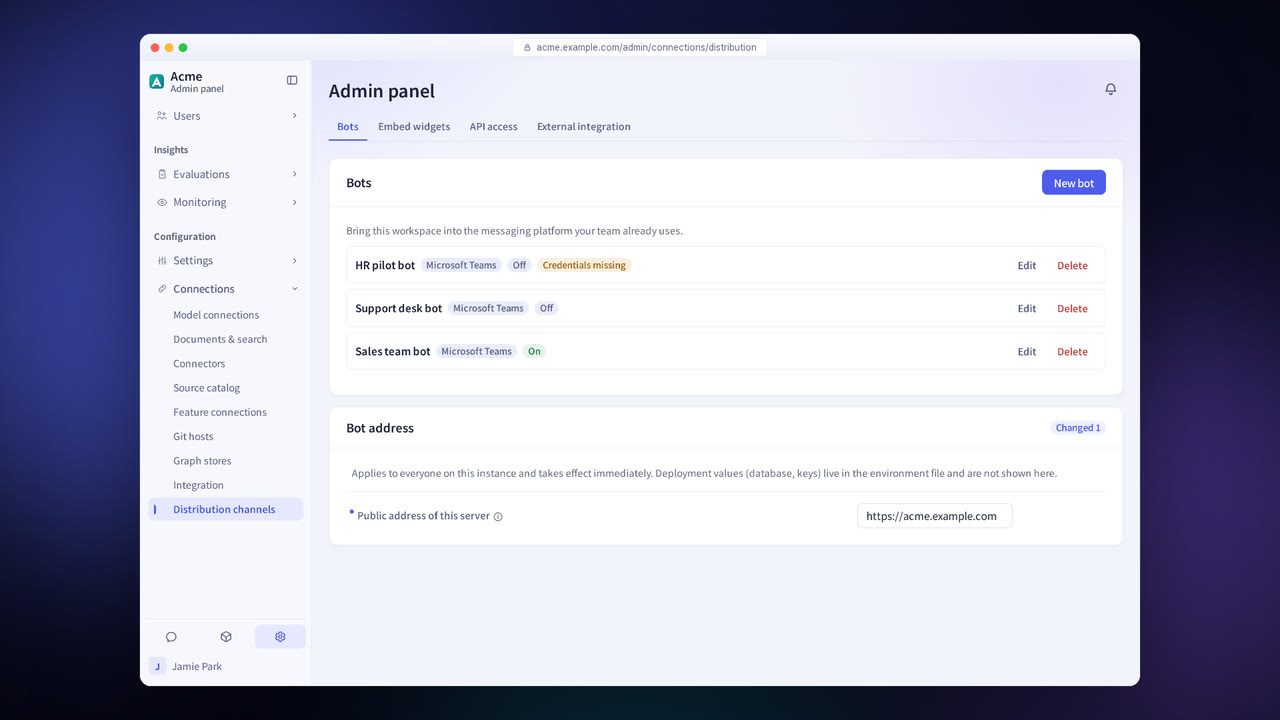
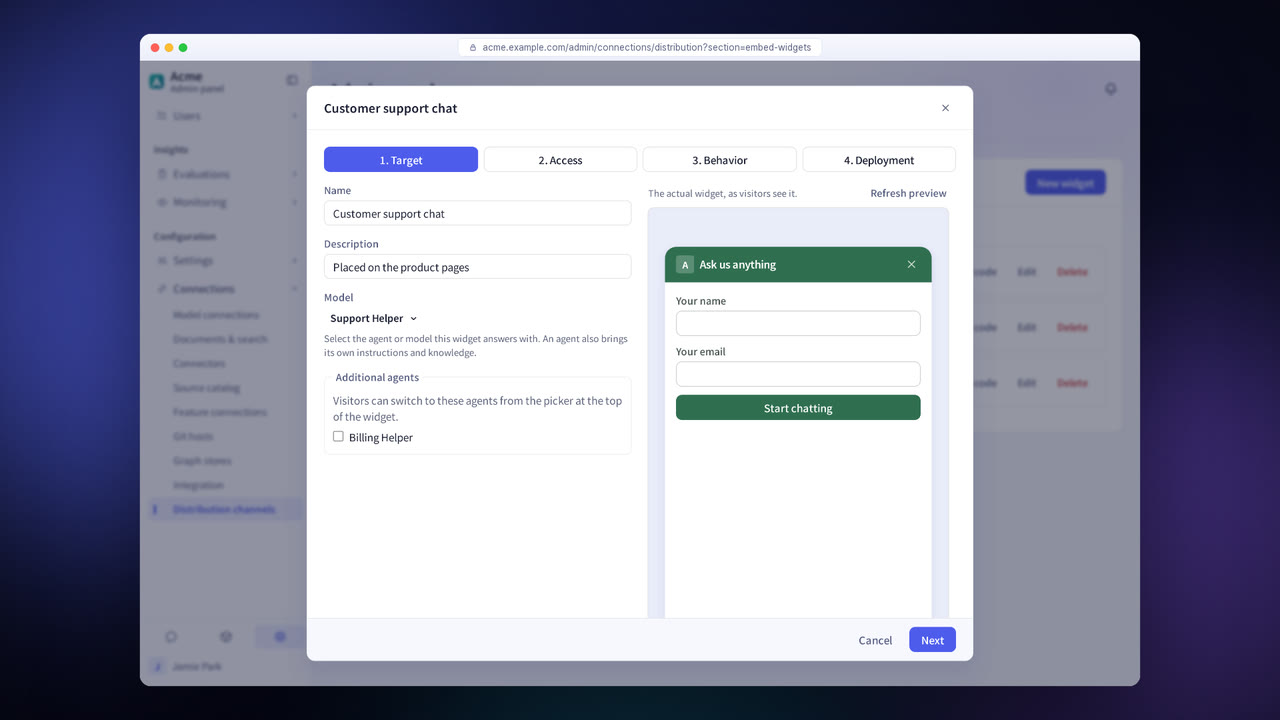
Choose the agent to use in the channel.
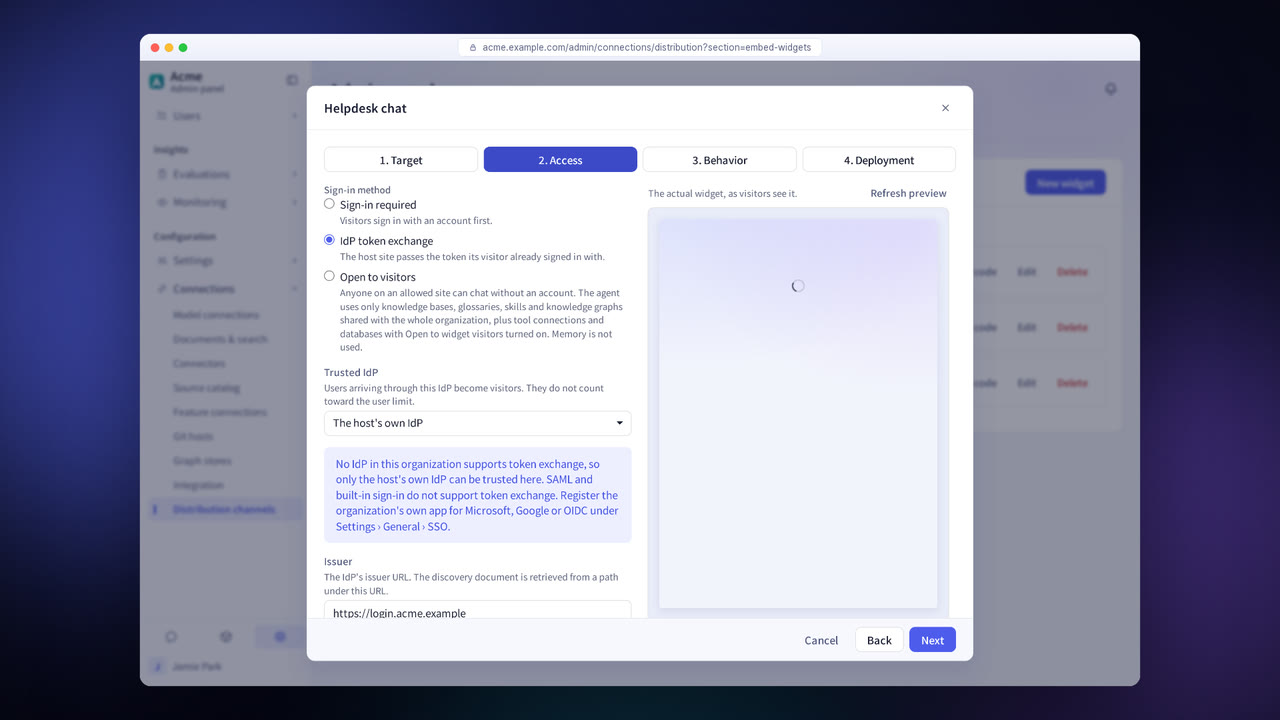
For each widget, decide whether it is open to visitors or authenticates users with a token from your company's IdP.
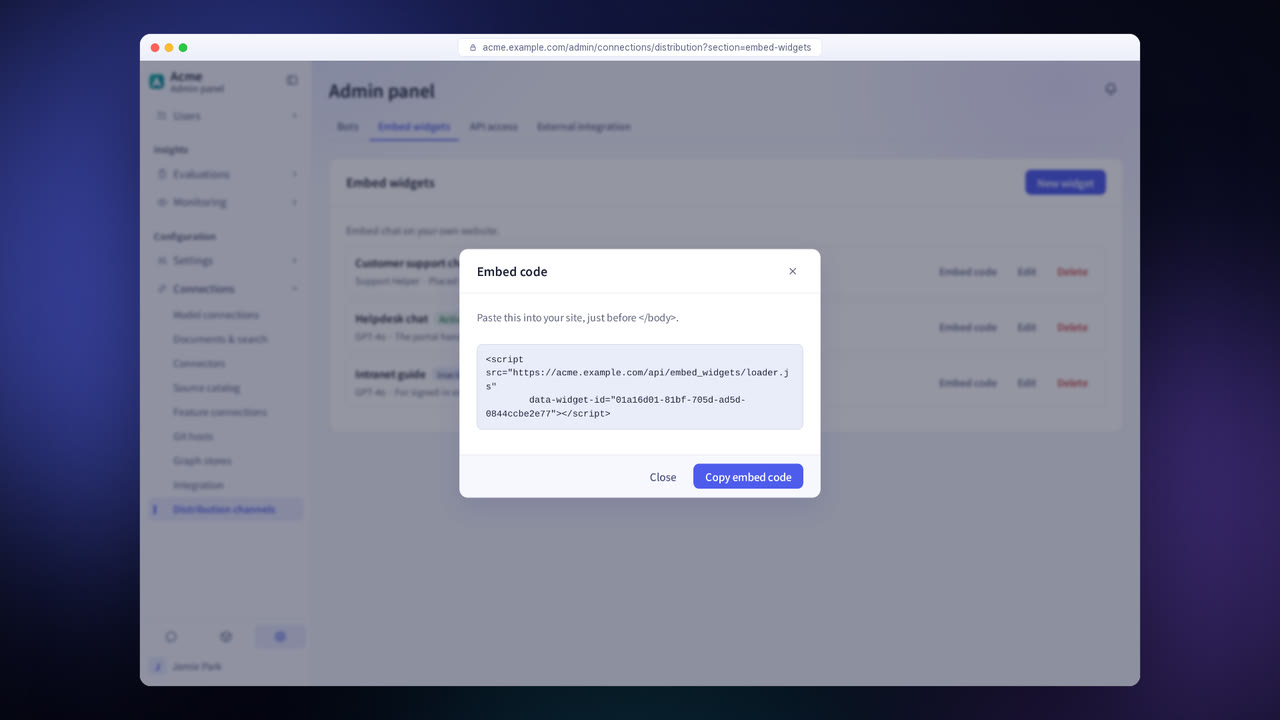
Install the bot, embed the widget code or issue API keys.
Distribution channels in detail
Microsoft Teams bots
Call agents from Teams chats.
Embed widgets
Add a chat widget to the company portal and set its colors and features.
OpenAI-compatible API
Call agents and models with existing code written for the OpenAI API.
MCP server
Use Syncgate resources over MCP from other AI tools.
API key management
Decide who can call the API, and issue or revoke keys. Each key works with the permissions of the user it was issued to.
Common controls across channels
The same permissions and guardrails apply in every channel, and records are kept to the same standard.
Settings each company configures
- Choose which channels to turn on.
- Set the agent and access method for each channel.
- Issue and revoke API keys.
Figures reflect the product as of October 2026.
Frequently asked questions about distribution channels
Do document permissions apply in Teams too?
Yes. Teams users chat with their organization accounts, so each user's own permissions apply.
Can the widget be opened to external customers?
Yes. The authentication method is set for each widget. When a widget is open to visitors, you set the allowed sites and the number of messages per visitor per day. You can also authenticate visitors with a token from your company's IdP or a signed visitor ID.
Is API usage recorded too?
Yes. Requests that come in through the API are recorded in usage, conversation logs and the audit log. They do not appear on the Traces screen, which shows processing steps.
See it with
your own documents
In a consultation, we connect a few of your documents so you can check the answer quality for yourself. Send us your questions and our team will get back to you.