 Syncgate


Use the same installation image
on company servers and air-gapped networks
Syncgate provides Docker Compose for a single VM and a Helm chart for Kubernetes. Air-gapped networks and private clouds use the same installation image. Where one installation runs several organizations, each organization has its own database.
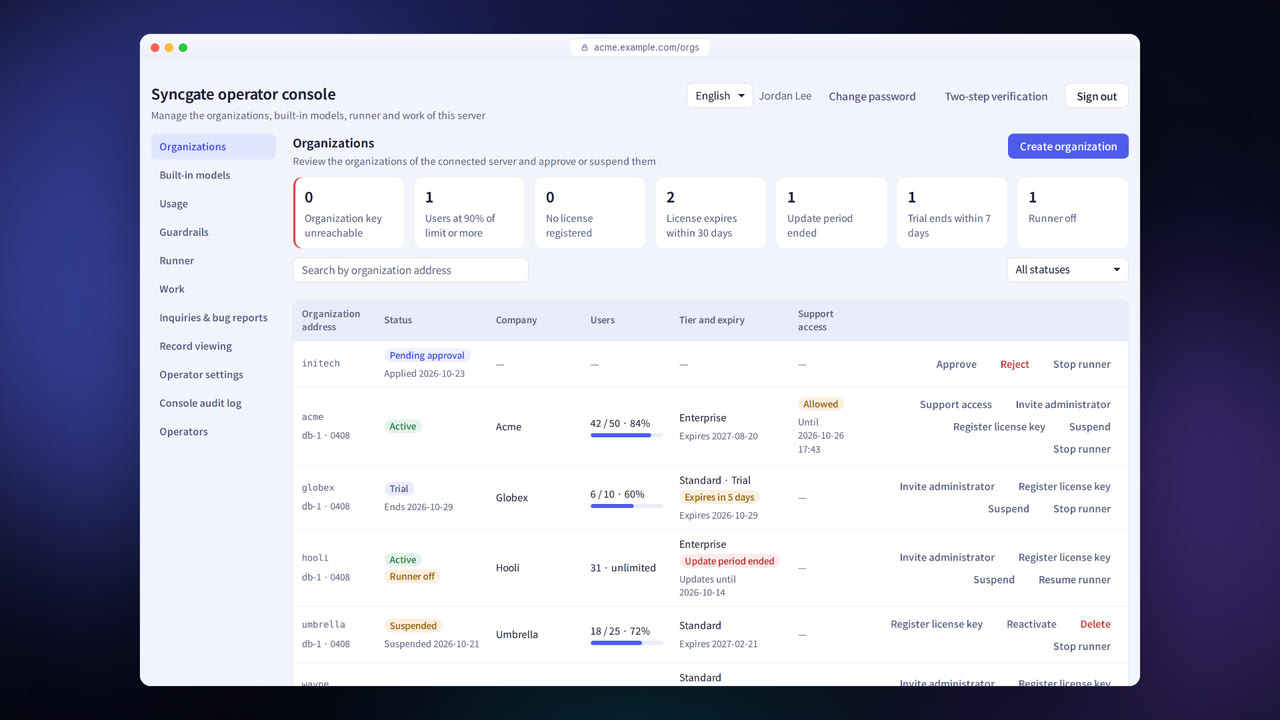
Before and after adoption
Company data cannot be kept in an outside service.
Syncgate is installed on company servers or a private cloud, so data stays inside the company.
You need to confirm that it works on a network with no internet connection.
In an environment with no internet connection, everything from installation to sign-in, connecting an in-house model, document indexing, search and chat has been verified to work.
If something goes wrong during an update, the service can stop.
A backup is taken before each update, and if the new version does not start normally, the previous version is restored automatically.
Four steps
Use Docker Compose for a single VM, or the Helm chart for Kubernetes.
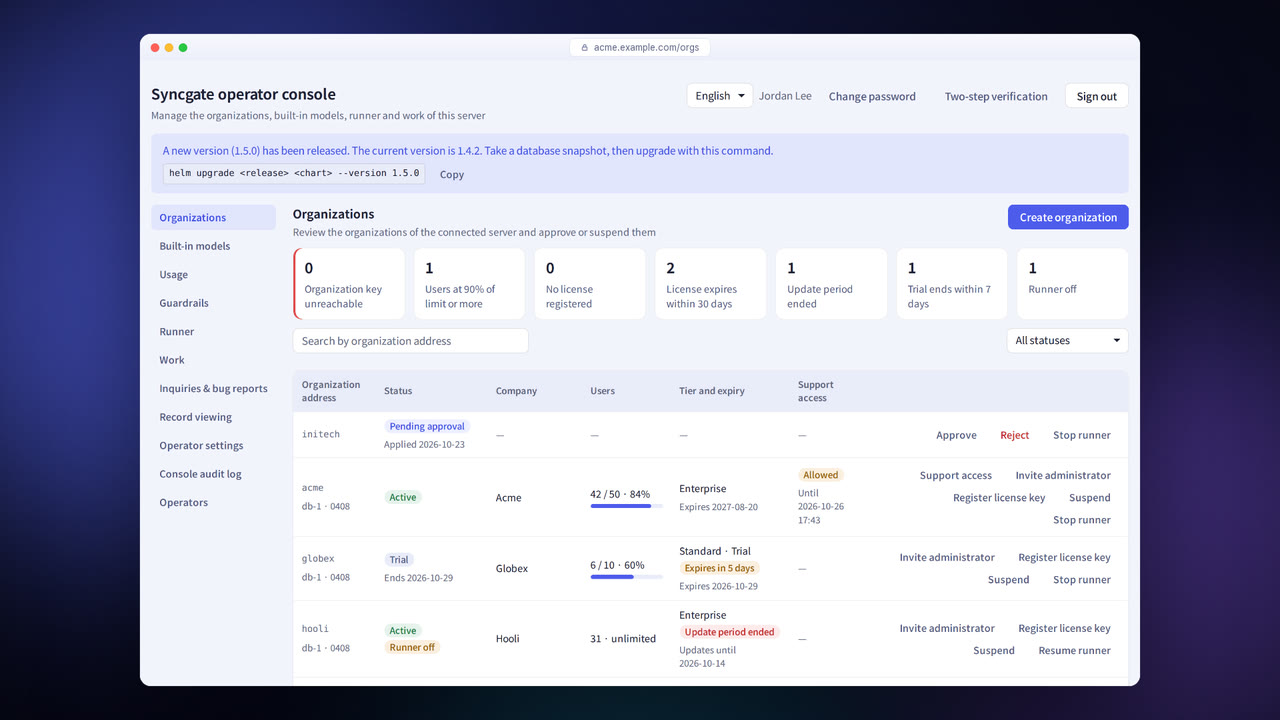
The license is verified from a file, with no connection to an outside server.
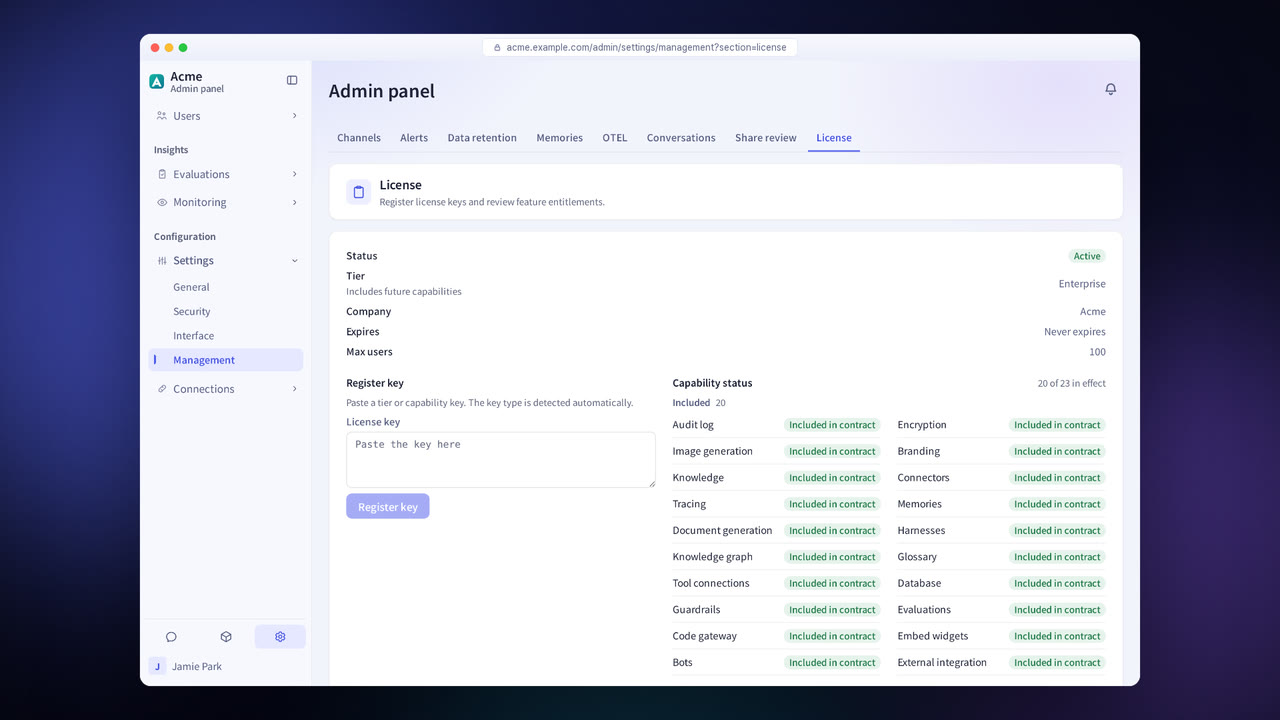
Connect in-house models or models from approved providers, and your document sources.
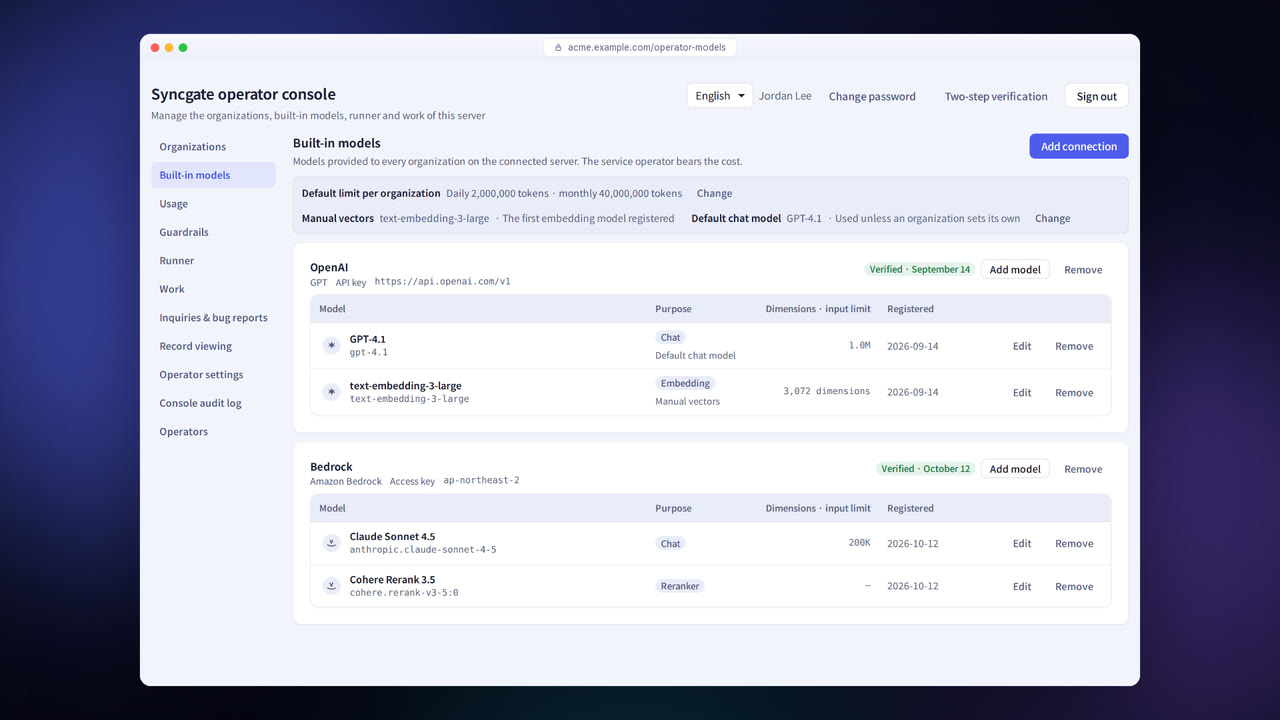
Manage organizations, updates and licenses in the operator console.
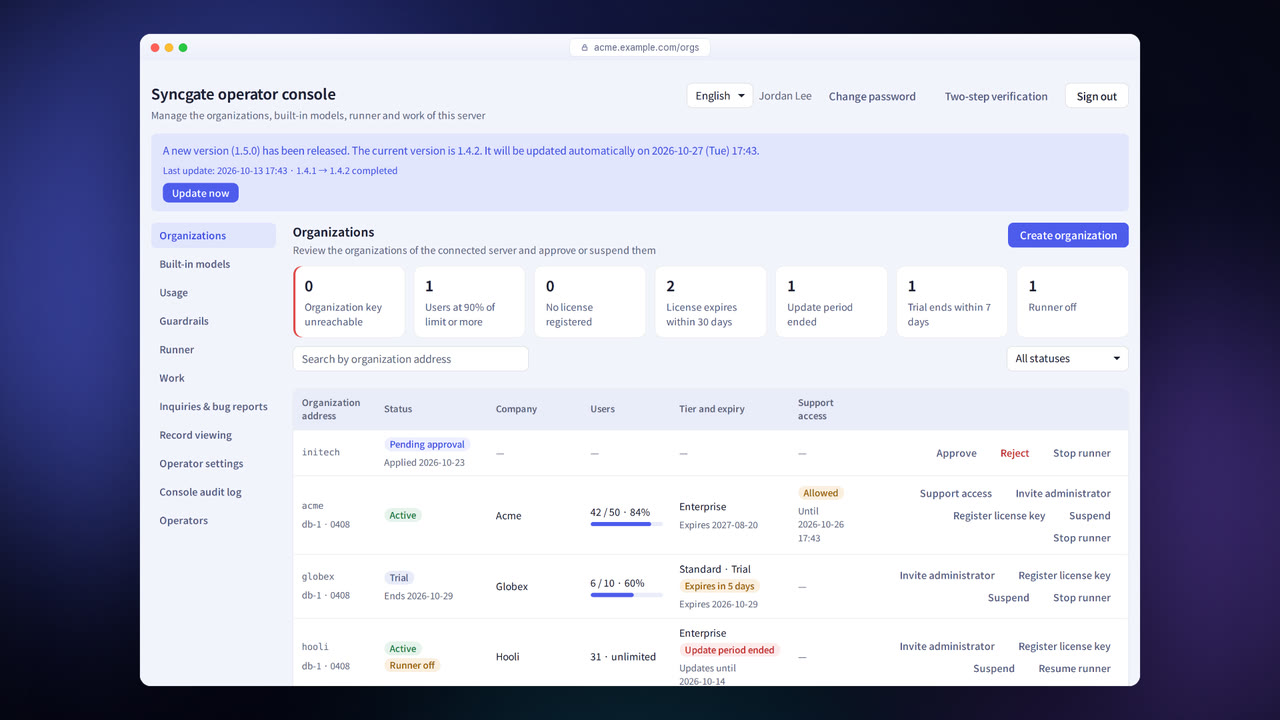
Installation and operations features
Docker Compose
Installs on a single VM.
Helm chart
Installs on Kubernetes.
Air-gapped network
You need only the installation image files, a license file and the address of your in-house model.
Automatic updates
When a new version is released, it is installed at the time you set, and the previous version is restored if the update fails.
Backup and restore
Back up with PostgreSQL snapshots or pg_dump, and keep the encryption keys separately.
Multiple organizations
Each organization has its own database and a dedicated role.
Operator console
Manage organizations, updates, licenses and support requests.
License
The license is verified from a file, and features are enabled according to the license.
Settings each company configures
- Choose the deployment option and the server size.
- Choose whether to use automatic updates and when they run.
- Set how often backups run and where the keys are stored.
Figures reflect the product as of October 2026.
Related pages
Frequently asked questions about installation and operations
How large a server do we need?
A server configuration that fits your number of users and workload is recommended during the consultation.
Which database does it use?
It uses PostgreSQL.
Do Helm installations update automatically too?
You update servers installed with Helm yourself. The operator console shows how to update them and the commands to run.
See it with
your own documents
In a consultation, we connect a few of your documents so you can check the answer quality for yourself. Send us your questions and our team will get back to you.