 Syncgate


Apply permissions and limits
to every model call
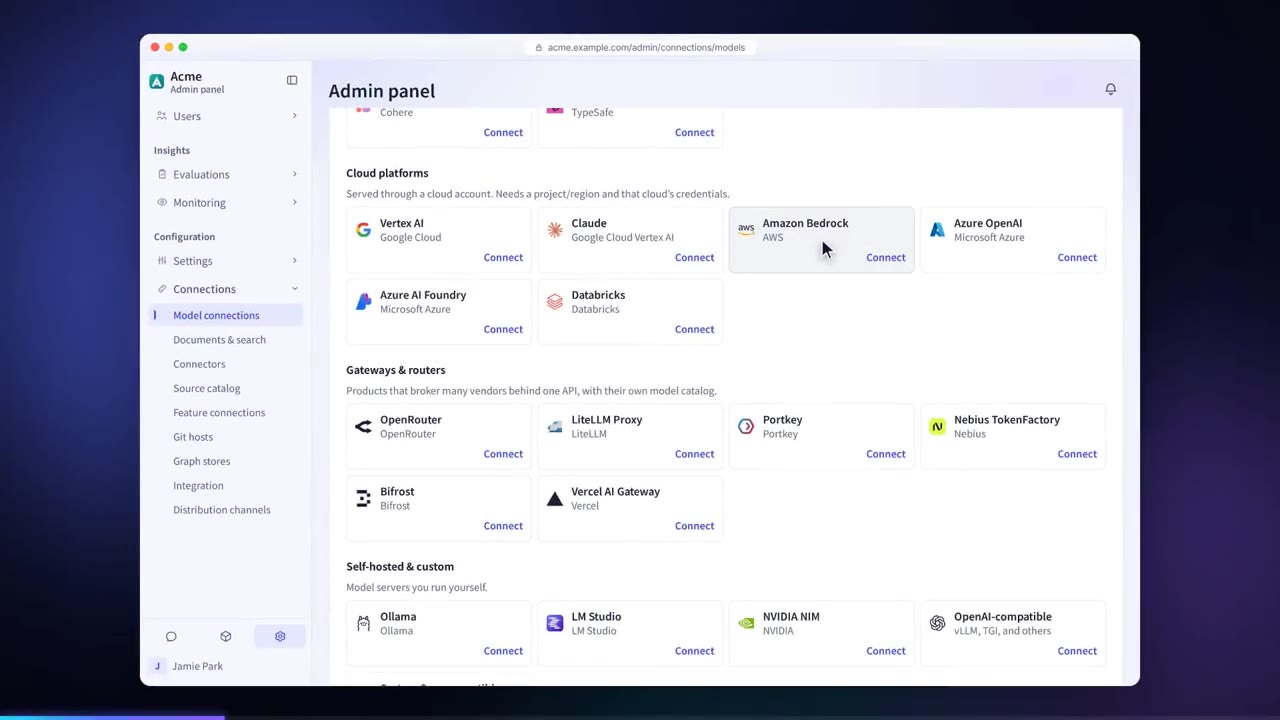
Connect models from 23 providers through vendor APIs, cloud, gateways or self-hosting. For each model, set which users and groups can use it, a daily token limit and a unit price to manage cost.
Apply the same policies
to every model call
Connect models from 23 providers, across vendor APIs, cloud, gateways and self-hosting, to one gateway. Requests from coding tools get the same policies and logging.
Policy violations are logged as warnings by default, and administrators can switch them to blocking. Set which users and groups can use each model, along with daily token limits and pricing, to manage cost.
Ready for the newest
class of model
Jev, released by TypeSafe in September 2026, is a discriminative model: it generates no text and returns one of the defined options with a probability. Syncgate adds discriminative models as a model type, connects any model that exposes the same API, and applies them to guardrail AI evaluation, auto evaluation and the search reranker.
Latest jev-1.13.0 · version pinning
A yes/no probability is compared with two thresholds to decide the action.
Yes/noDoes the content request or disclose a customer’s personal contact details?
Give me the customer Minsu Kim’s mobile number.
Conventional AI evaluation returns only pass or block. Because a discriminative model returns a probability, requests between the two thresholds are not blocked but kept in the guardrail inspection record.
Three decision types
The input is read once and several decisions run at the same time. Every result comes with a probability, which each feature uses as a score from 0 to 1.
Uses assigned per model
Connect external services and self-hosted models side by side, and assign the discriminative model each feature uses.
| Guardrail AI evaluation | Auto evaluation | Search reranker | |
|---|---|---|---|
| JevTypeSafe · external service | |||
| OpenJevSelf-hosted · GPU | |||
| KevSelf-hosted · Ollama |
A newly connected discriminative model cannot be selected in any feature until it is assigned a use.
Before and after adoption
Each department opens its own AI accounts, so costs and usage records are scattered.
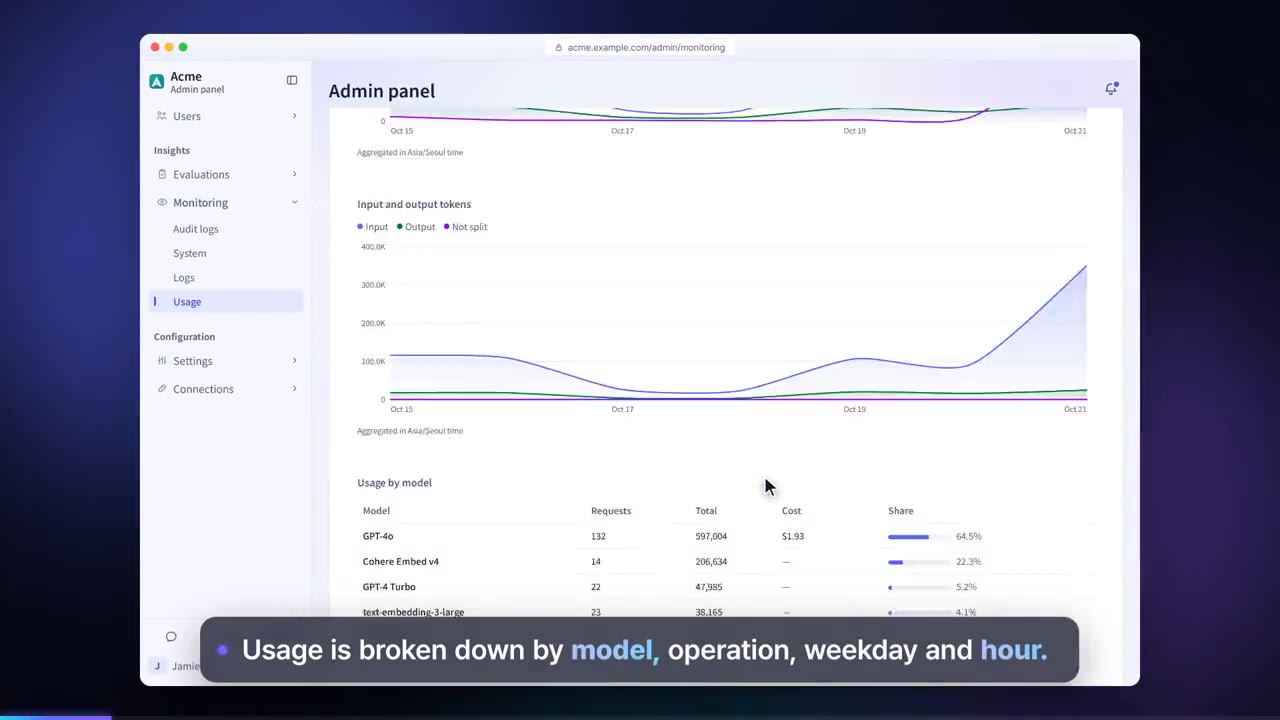
Every model call is handled by the same gateway, so usage and estimated cost appear on one screen.
Company data may be sent to models nobody approved.
Only providers and models an administrator has approved are allowed, per group and per user.
External models cannot be used on an air-gapped network.
Connect models your company runs itself with Ollama, vLLM, LM Studio, NVIDIA NIM and others.
Four steps
Choose a provider, enter a key or URL, and confirm the connection with a real call.
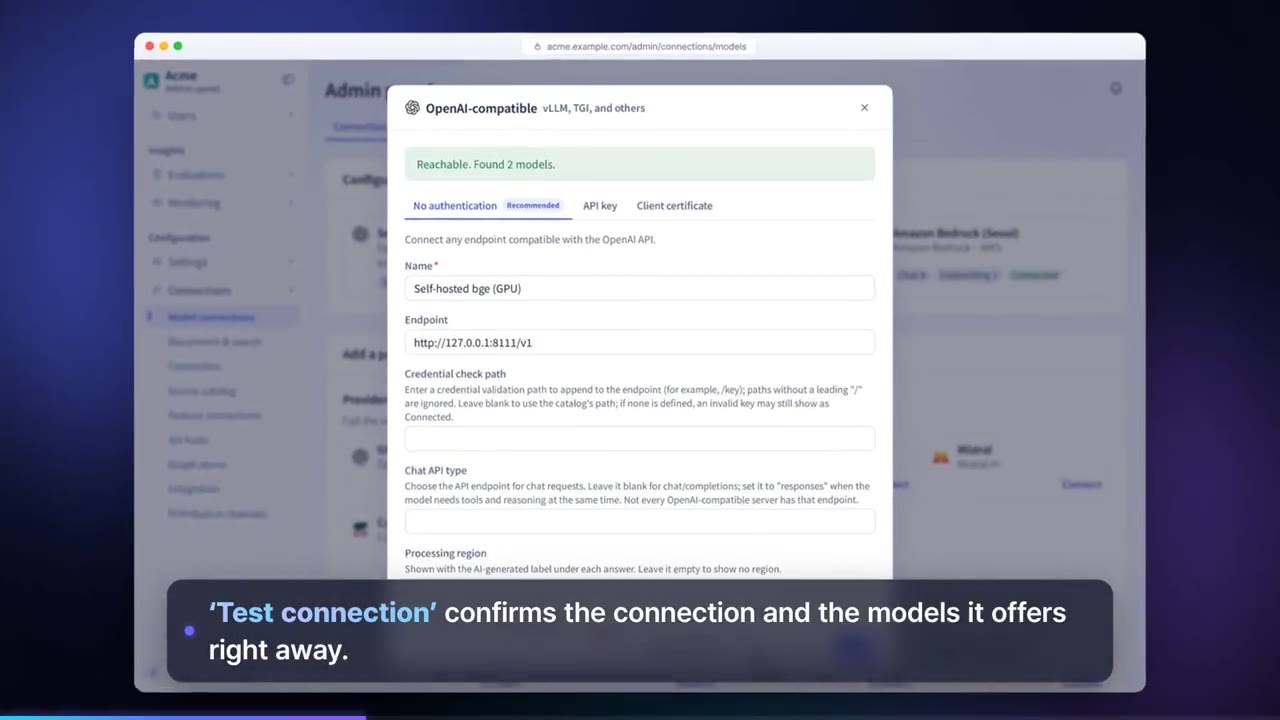
Choose the model to use for each task, such as chat, embedding, reranking, images and guardrails.
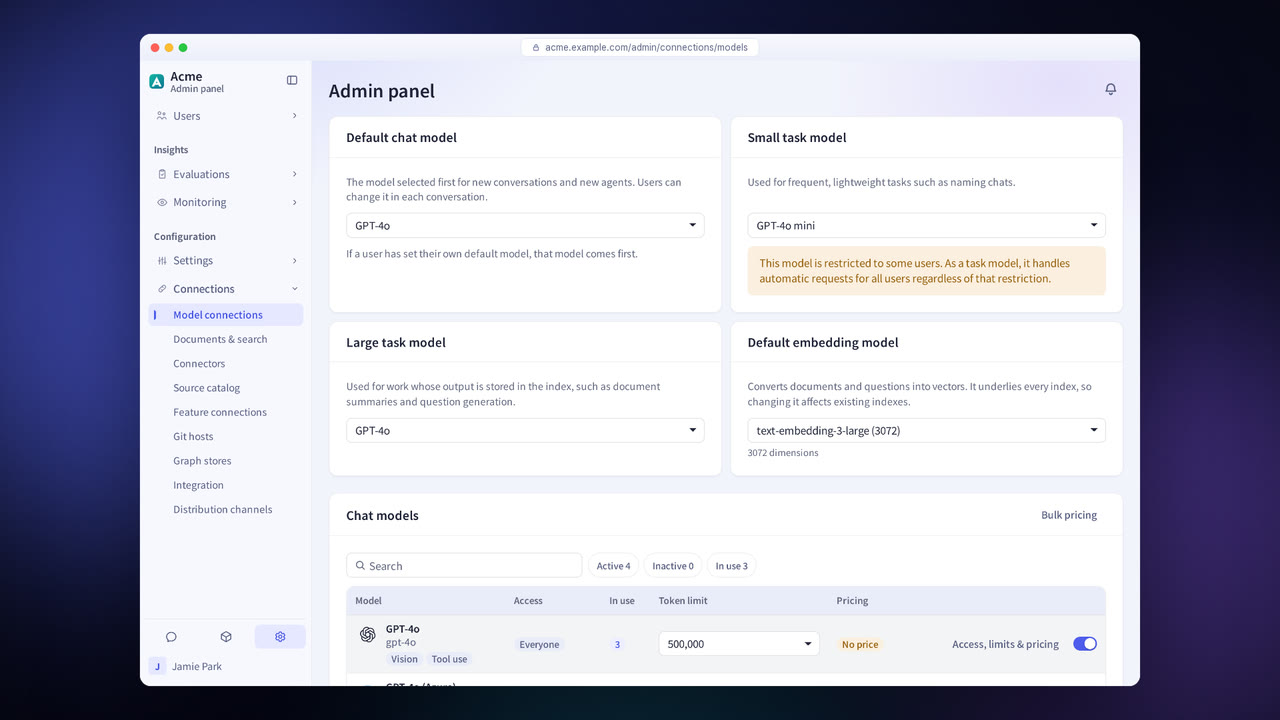
For each model, set which users and groups can use it, its daily token limit and its unit price.
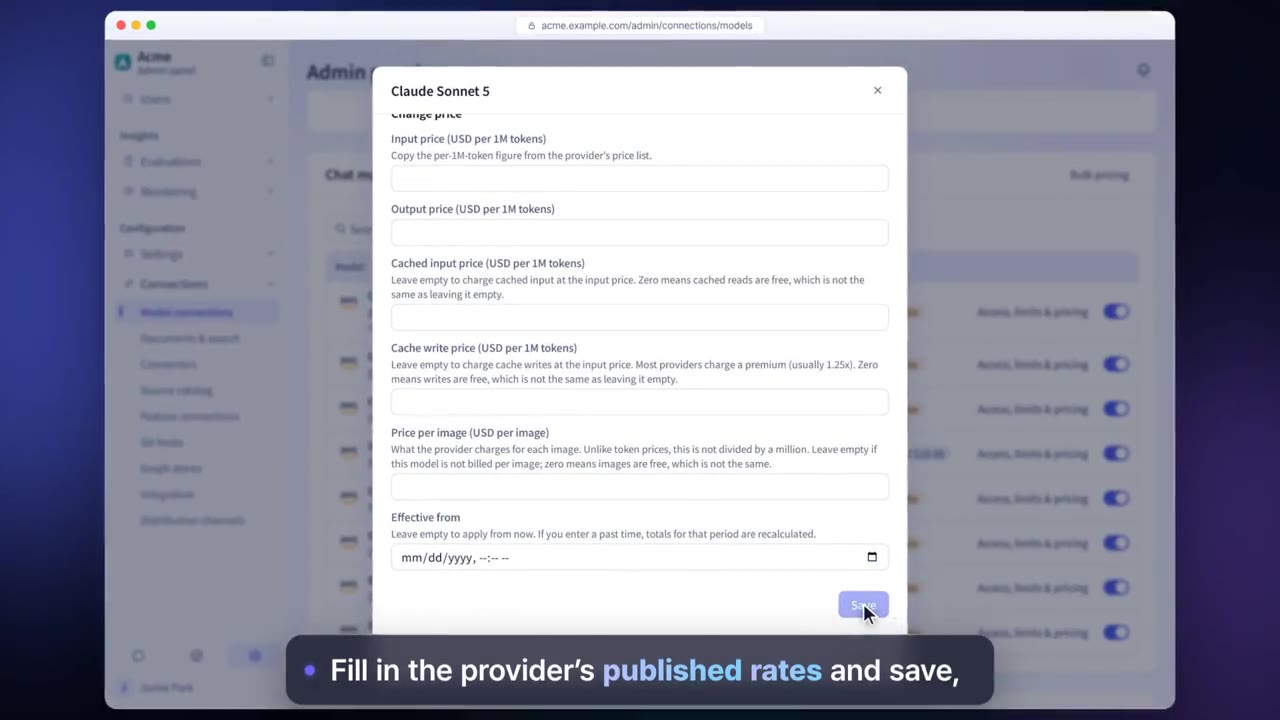
Check usage, estimated cost and budgets by model, user and department.
Model gateway features in detail
23 providers
Connect in four ways: vendor APIs, cloud, gateways and self-hosting.
Permissions per model
Set which users and groups can use each model.
Daily token limits
Set request and token limits for each user.
Unit prices and budgets
Enter a unit price for each model to calculate estimated cost, and set budgets.
Models per task
Choose chat, embedding, reranker, image and guardrail models separately.
Discriminative models
Discriminative models, which answer with one of a fixed set of options and its probability, are used for guardrails and evaluation.
Settings each company configures
- Connect only approved providers and models.
- Set user and group permissions and token limits for each model.
- Set unit prices and budgets to manage cost.
Figures reflect the product as of October 2026.
Related pages
Frequently asked questions about the model gateway
Which providers can I connect?
You can connect 23 in all: providers such as OpenAI, Anthropic, Google, Amazon Bedrock and Azure, gateways such as OpenRouter and LiteLLM, and models you run yourself with Ollama, vLLM, LM Studio, NVIDIA NIM and others.
Can it be used on an air-gapped network?
Yes. Register your in-house model's address as an OpenAI-compatible endpoint. Everything from the connection check to chat has been verified in an environment with no internet connection.
What happens when a limit is exceeded?
The conversation that goes over the limit runs to the end, and the limit applies from the next conversation. The user sees a notice that the request limit has been exceeded.
See it with
your own documents
In a consultation, we connect a few of your documents so you can check the answer quality for yourself. Send us your questions and our team will get back to you.