 Syncgate


Keep a record of who did what
that can be checked for tampering
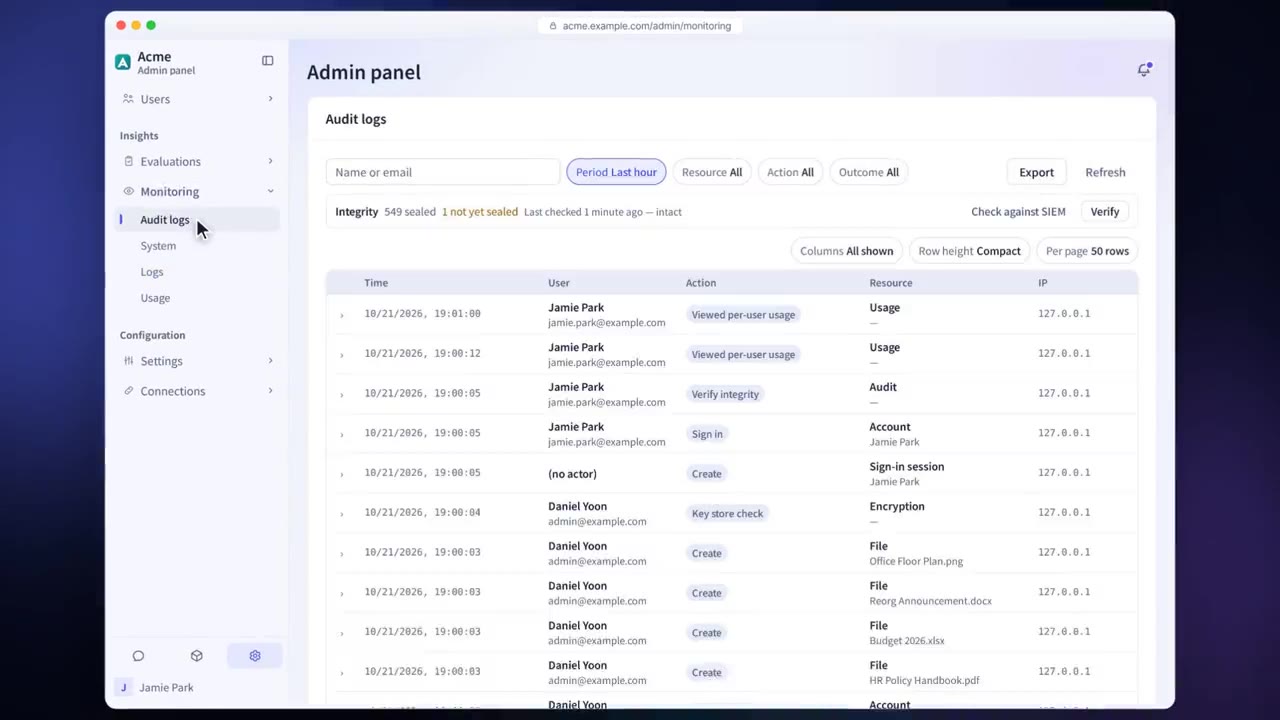
Manage users, groups, the org chart and roles, and sign in with your company SSO. The audit log records the time, user, action, resource and IP address. Each record carries the hash of the one before it, so integrity can be verified.
Before and after adoption
Accounts of employees who have left are not revoked promptly.
SCIM keeps users in sync with your company's user list automatically, and people sign in with SSO.
It is hard to prove that logs have not been tampered with.
A hash chain verifies the integrity of the audit log, which is sent to your SIEM over syslog in real time.
It is hard to manage how long records are kept.
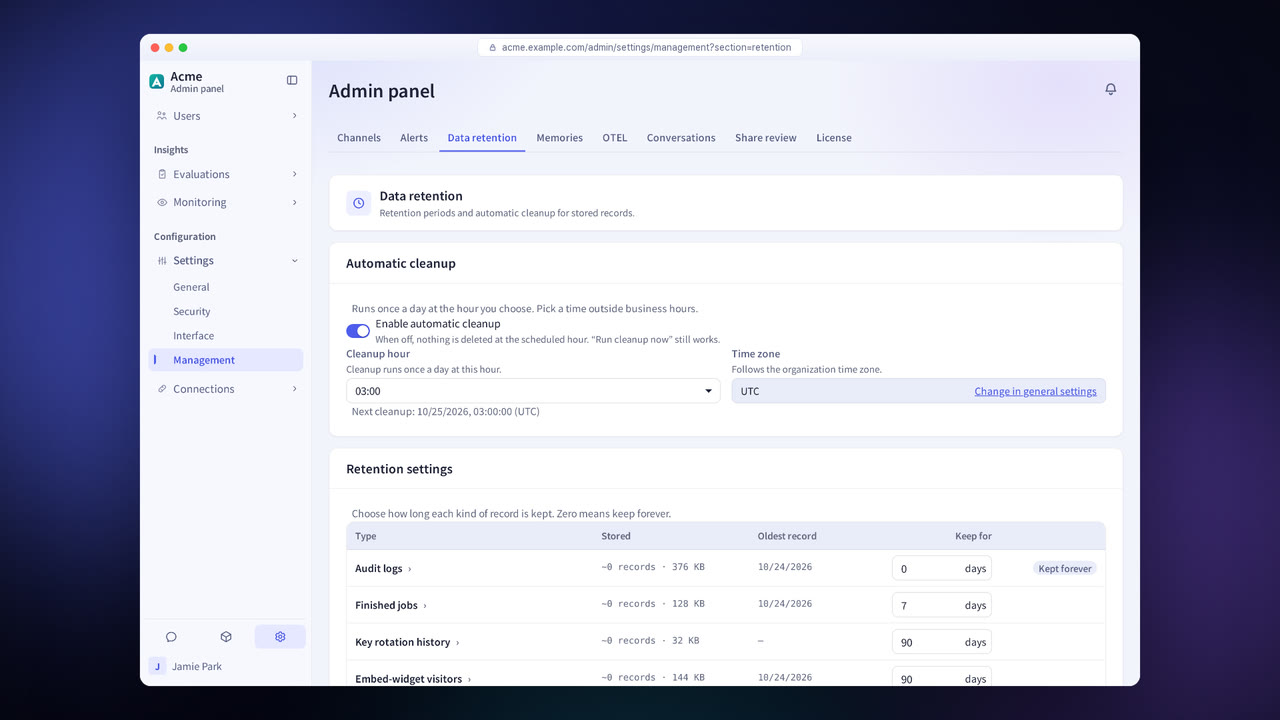
Set a retention period for each type of record. Accounts under legal hold are excluded from cleanup.
Four steps
Connect Microsoft Entra ID, Google Workspace, SAML, OpenID Connect or LDAP, and set up two-step verification.
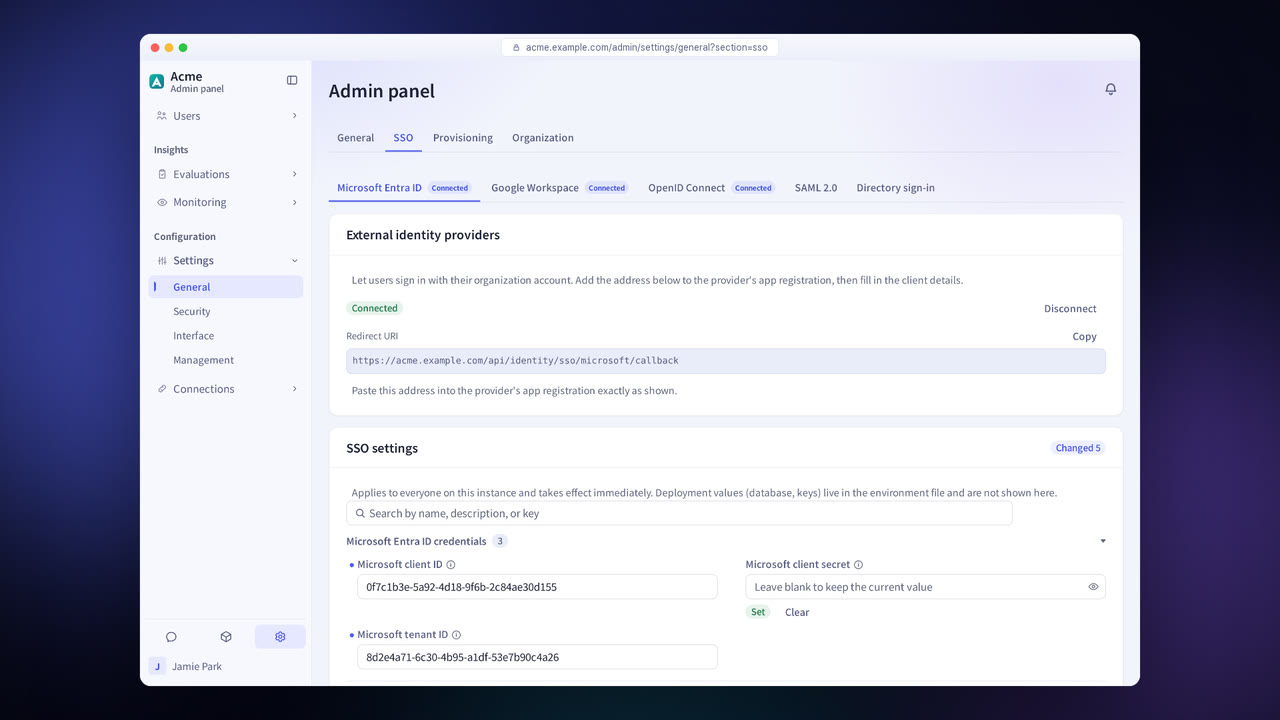
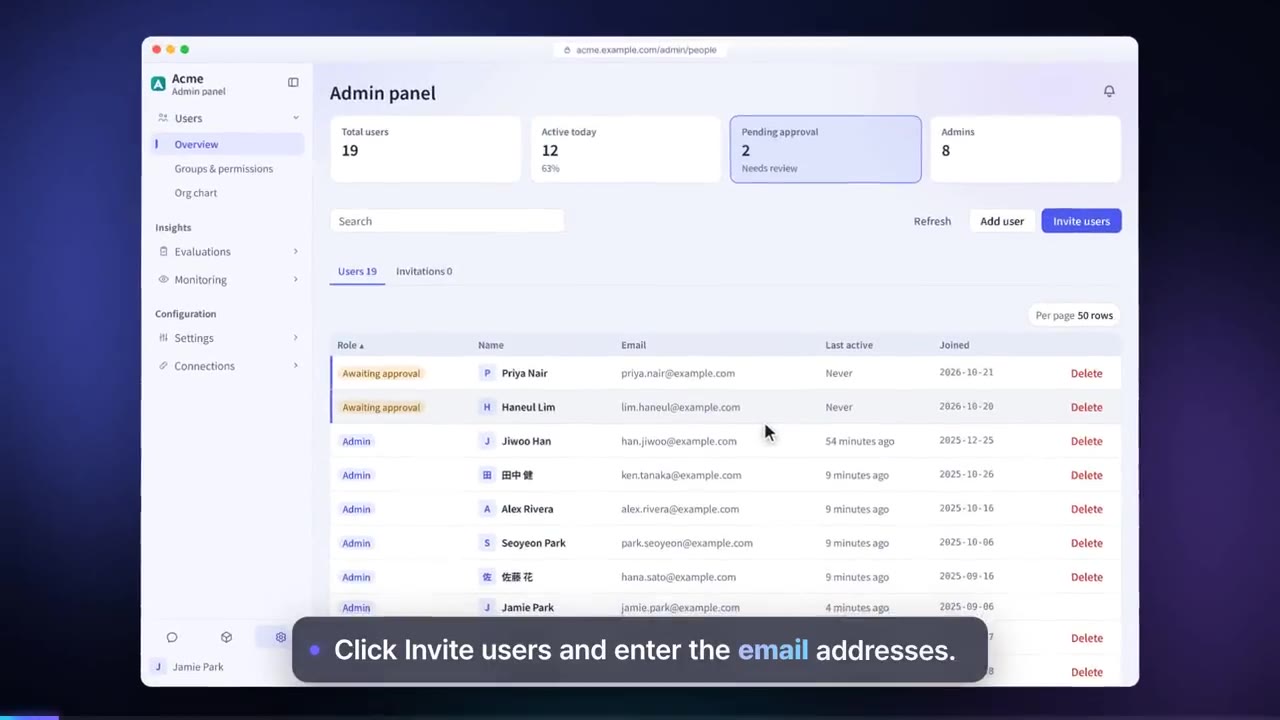
Sync users over SCIM, and set up groups, the org chart and roles.
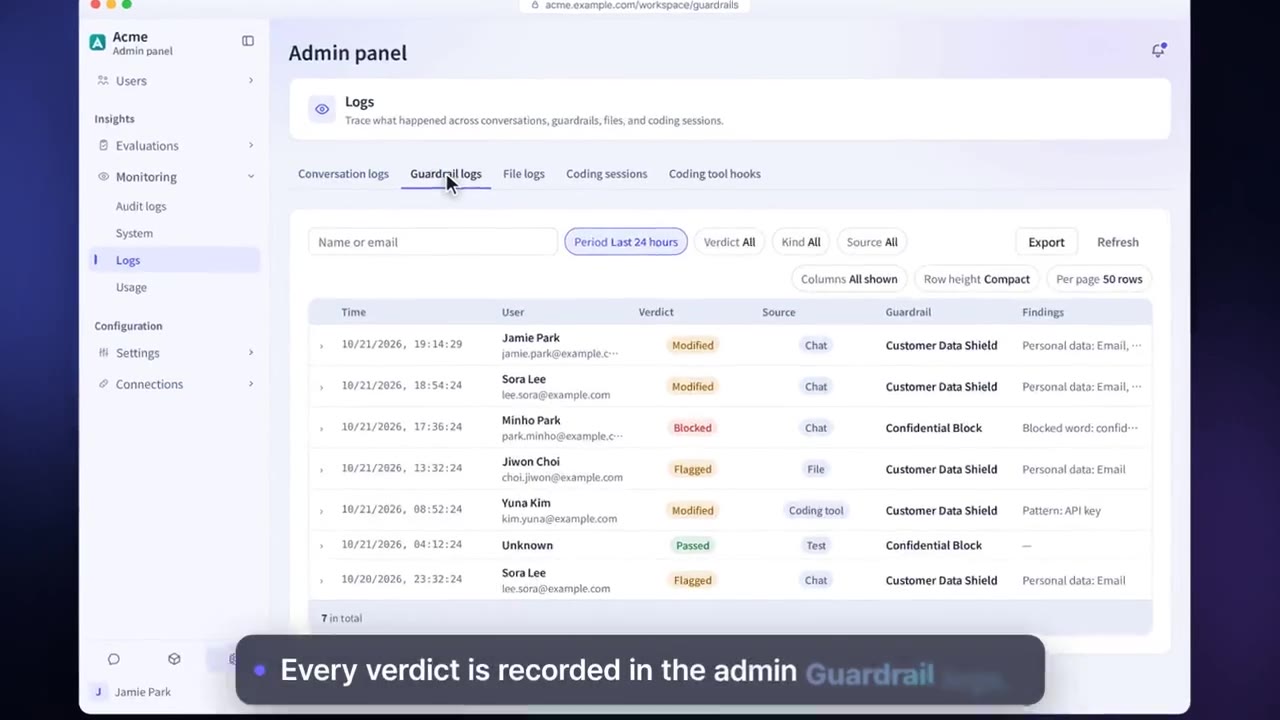
Keep audit logs, guardrail logs, conversation logs and file logs, and check their integrity.
Set a retention period for each type of record, and set legal holds.
Administration and audit features
Users, groups and org chart
Import the org chart and assign groups and roles to users.
SSO · LDAP · SCIM
Sign in with company accounts and sync the user list automatically.
Two-step verification
Supports authenticator apps, passkeys and security keys, and can be made mandatory for administrators.
Sealed audit logs
A hash chain verifies integrity, and records are sent to your SIEM over syslog.
Retention periods and legal hold
Set a retention period for each type of record. Accounts and conversations under legal hold are excluded from cleanup.
Encryption key management
Use the built-in key or Azure Key Vault, AWS KMS, Google Cloud KMS or Vault. Key rotation is supported.
Support access
Allow the service operator support access for a period from 4 hours to 30 days, or “Until revoked,” and revoke it at any time.
Conversation export
Export conversation records, with the reason recorded.
Settings each company configures
- Choose the sign-in methods and require two-step verification.
- Define roles and least-privilege permissions for each group.
- Set retention periods and legal holds.
- Connect and rotate encryption keys.
Figures reflect the product as of October 2026.
Related pages
Frequently asked questions about administration and audit
How long are audit logs kept?
By default they are kept indefinitely, and you can change the retention period for each type of record.
How is integrity checked?
Run the integrity check on screen, and it finds any records that are missing or were changed. It can do this because each record carries the hash of the one before it.
Can the service operator see our data?
The service operator can sign in to your organization only while an administrator allows support access, and that access is recorded as well. The period can be set anywhere from 4 hours to 30 days, or to “Until revoked,” and administrators can revoke it at any time. In installations where the server's deployment settings turn on record viewing for the service operator, the operator can read guardrail logs and audit logs even without support access, and each read is recorded in the audit log.
See it with
your own documents
In a consultation, we connect a few of your documents so you can check the answer quality for yourself. Send us your questions and our team will get back to you.