 Syncgate


Turn how your best people work
into instructions everyone uses
A skill is a set of instructions for doing a specific task, together with related files. Agents and harnesses load a skill when they need it. You can write skills yourself or import them from Git repositories.
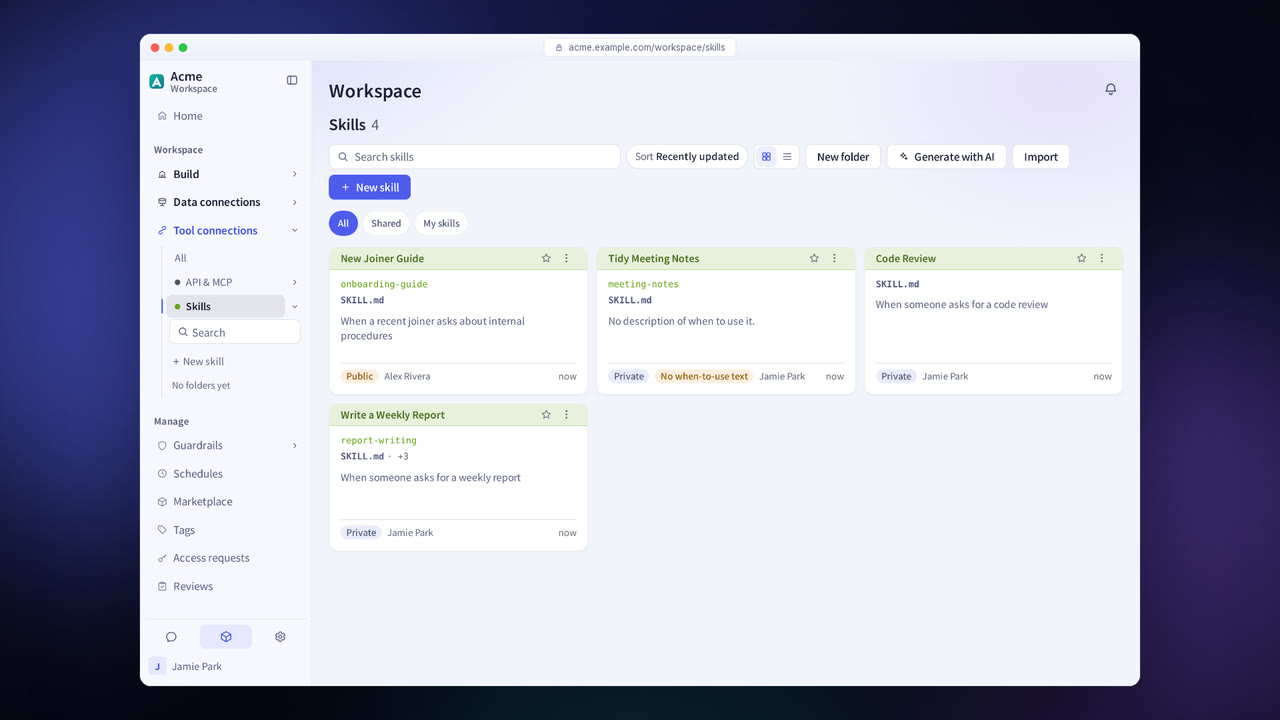
Before and after adoption
Only a few people know how the work is done, such as the report format or the order of review.
Write it down as a skill, and agents and harnesses work that way.
There is no way to tell what instructions imported from outside contain.
Imported skills are scanned, and a skill with detected items is used only after review and approval.
People keep using old instructions without knowing the source has changed.
When the source has new content, the skill is marked “New content.”
Four steps
Write it on screen, or import it from a GitHub, GitLab or Gitea repository or from a file.
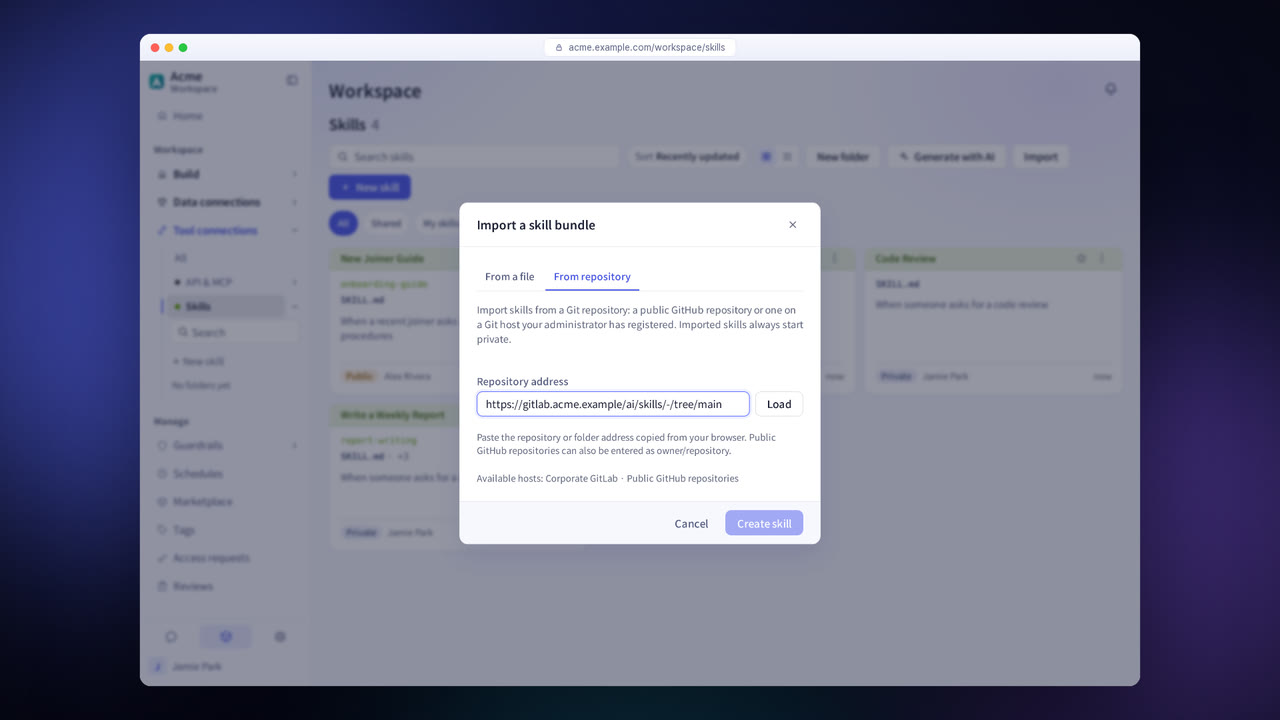
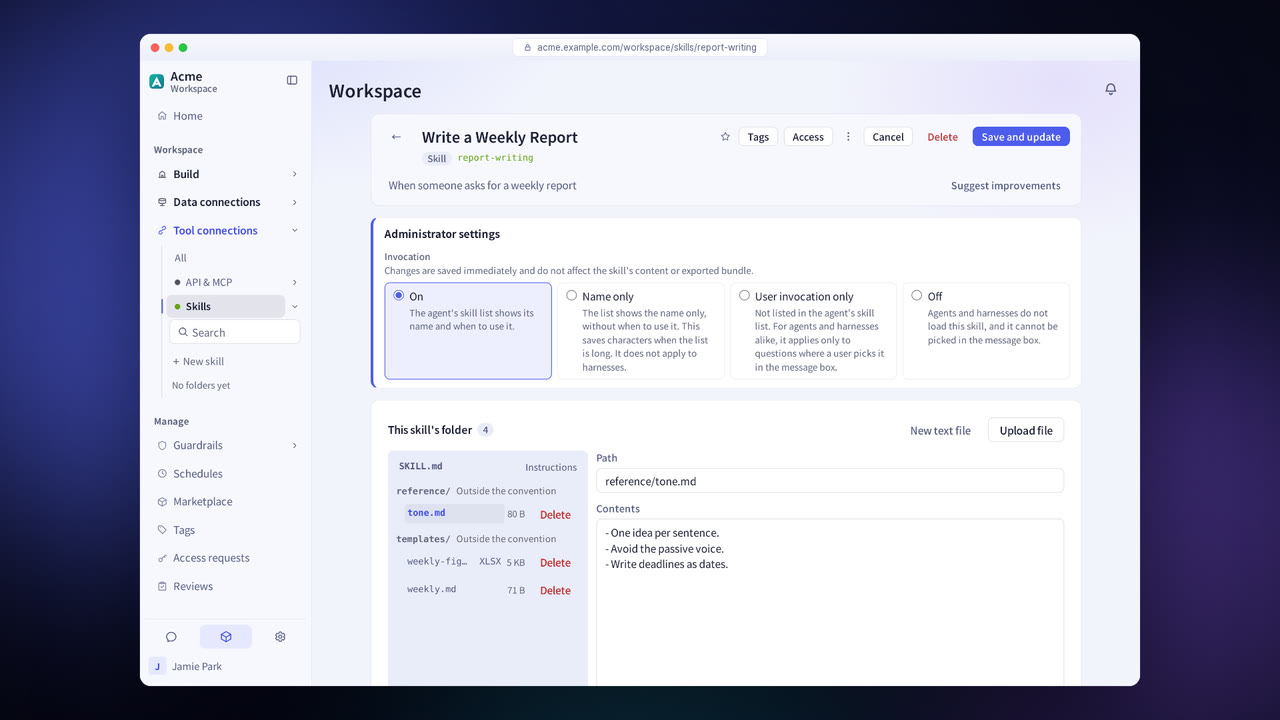
Add forms, examples and images as bundle files, and write their paths in the instructions.
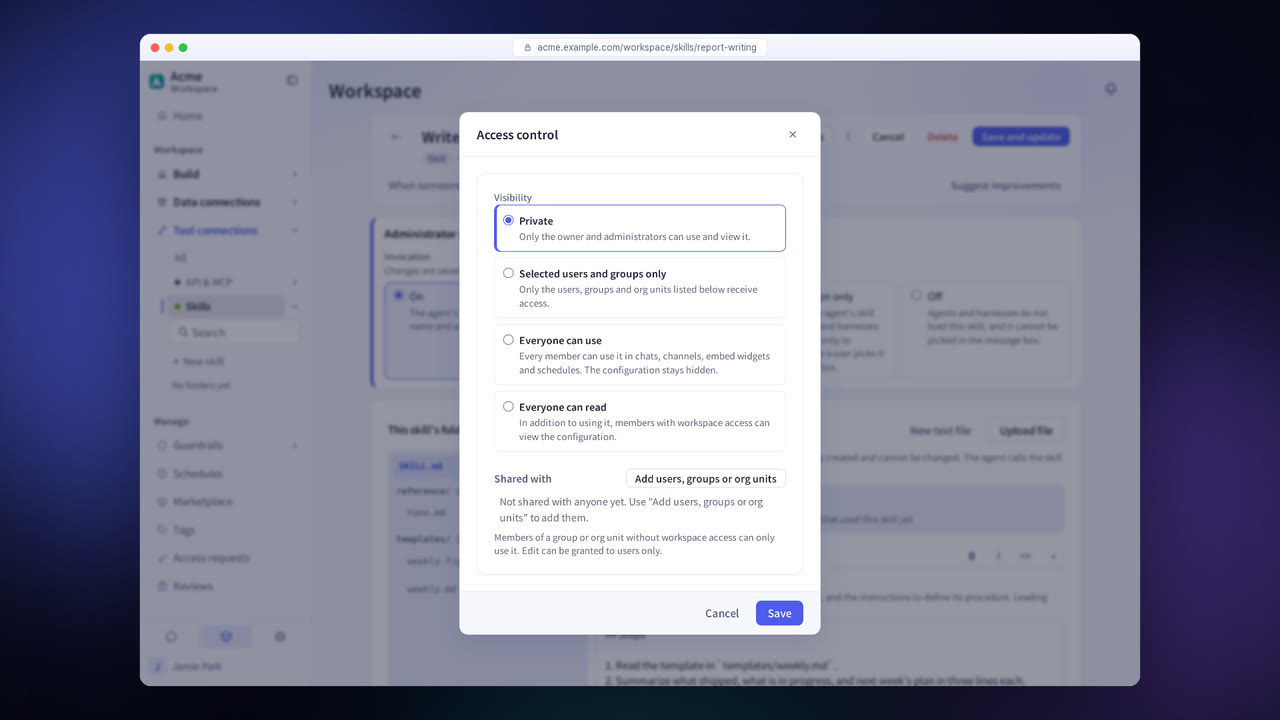
Set the visibility and connect the skill to agents and harnesses.
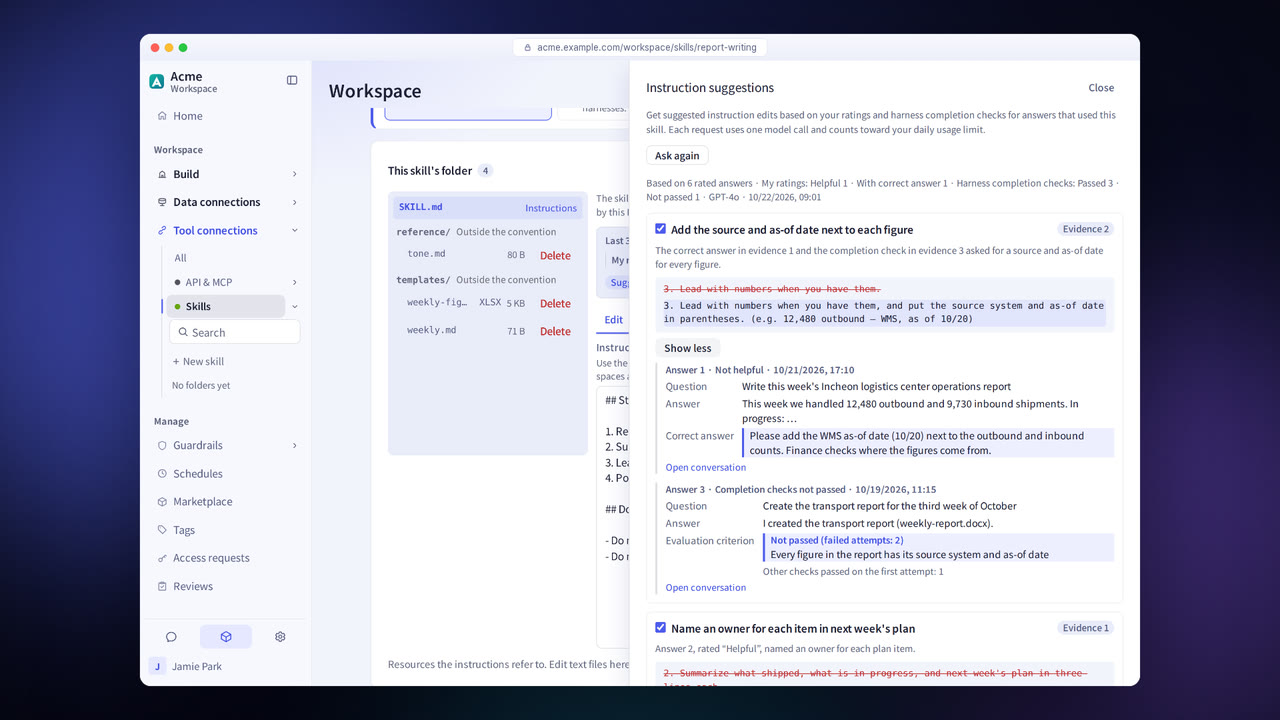
Get suggested revisions to the instructions based on answer evaluations and completion check results, and apply them after you review them.
Skill features in detail
Write your own
Write the instructions and the when-to-use criteria on screen.
Bundle files
Include materials such as forms, examples and images with the skill.
Import from Git
Import from GitHub, and from GitLab and Gitea repositories an administrator has registered.
Scanning imported skills
Imported skills are scanned. When items are detected, the skill is approved or rejected in the review list.
Source change notifications
Notifies you when the source repository has new content.
When-to-use suggestions
Tests a skill's when-to-use criteria with questions and suggests better wording.
Suggested instruction improvements
Suggests revisions to the instructions based on answer evaluations and completion check results.
Marketplace
Browse templates and skills by domain and activate them.
Settings each company configures
- Register the Git hosts (GitLab, Gitea) that skills are imported from.
- Approve or reject imported skills and share requests in Reviews.
- Activate the domains to use in the Marketplace.
Figures reflect the product as of October 2026.
Related pages
Frequently asked questions about skills
How is a skill different from an agent prompt?
A prompt sets the tone and scope of answers for one agent. A skill holds instructions for doing a specific task, and many agents and harnesses share it.
Can I use skills from public repositories as they are?
Only after they are scanned. A skill with items detected in the scan can be used only after a user with review permission approves it.
Are suggested improvements applied automatically?
No. A user reviews each suggestion and then applies it.
See it with
your own documents
In a consultation, we connect a few of your documents so you can check the answer quality for yourself. Send us your questions and our team will get back to you.