 Syncgate


Sensitive data is protected
before it reaches the model
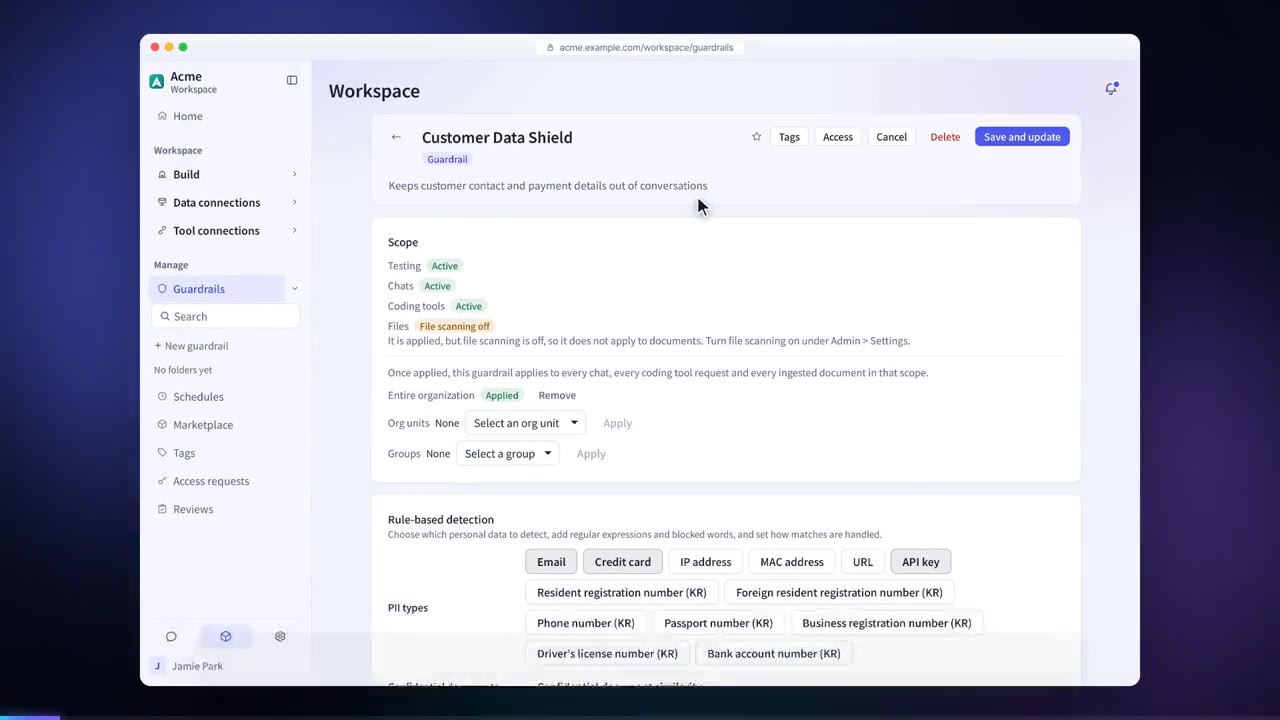
Guardrails check what goes into and comes out of the model. Input and output are checked with rule-based detection, AI evaluation and prompt injection detection, and blocked or pseudonymized according to policy. Every decision is recorded in the guardrail log.
Sensitive data is protected
before it reaches the model
Rule-based detection, AI evaluation and prompt injection detection inspect every input and output. Depending on policy, data is blocked or pseudonymized, and every verdict is recorded in the guardrail logs.
Where checks run
Detection runs on every request at each enforcement point. Hover over or select an item in the diagram to see its decision.
Sample
13 enforcement points
Before and after adoption
Employees may paste resident registration numbers or account numbers as they are.
Guardrails detect 13 types of personal data and either block it or replace it with pseudonyms before it is sent to the model. When the user views the answer, the original values are restored.
Instructions hidden in documents or tool results can change how the AI behaves.
Prompt injection detection checks input, attachments and tool results, and also finds AI instructions hidden in synced documents.
It is hard to find out later what was blocked and where.
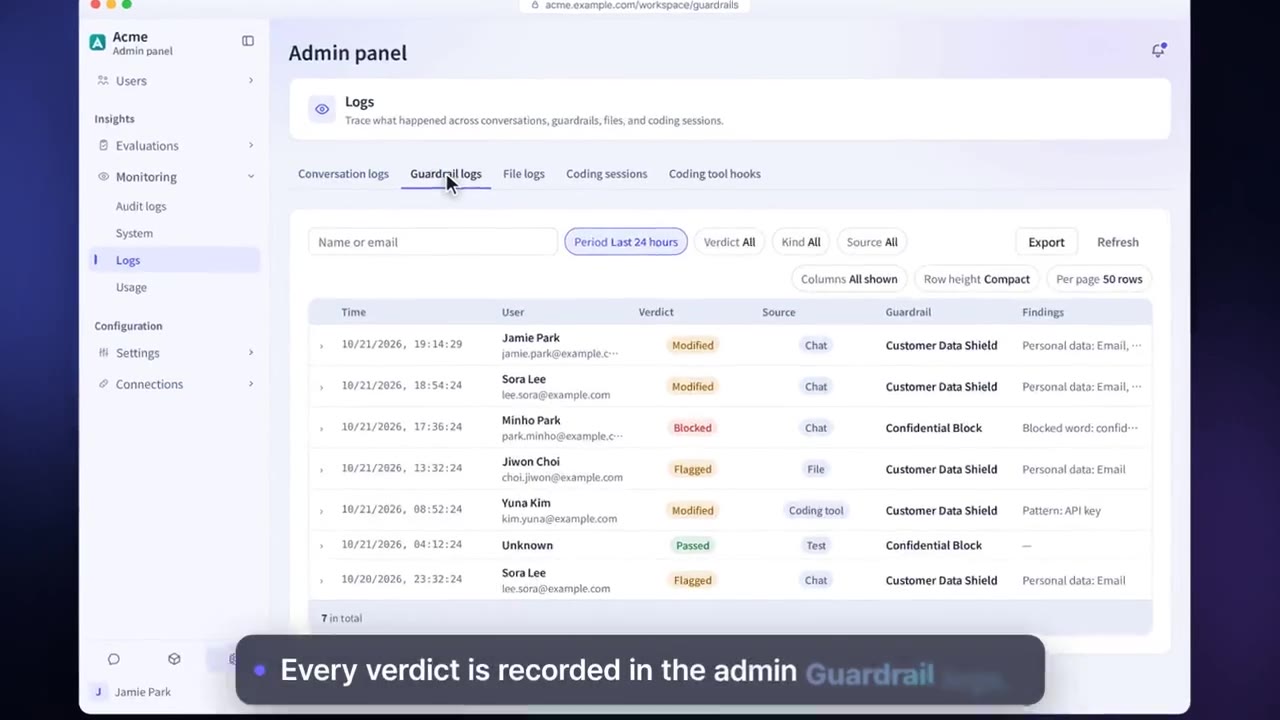
Decisions at all 13 enforcement points are recorded in the guardrail log.
Four steps
Turn on what you need from personal data rules, AI evaluation, discriminative model evaluation and prompt injection detection.
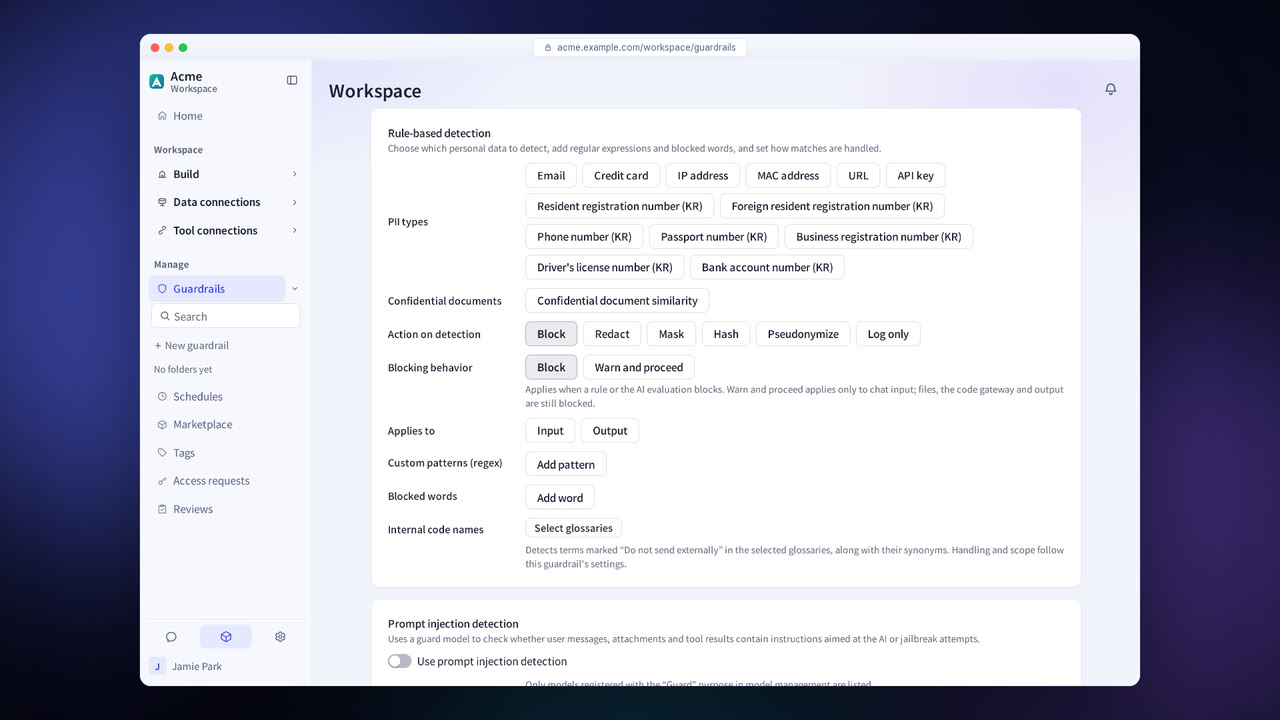
For each item, choose a handling method: pseudonymize, mask, hash, redact, block or “log only.”
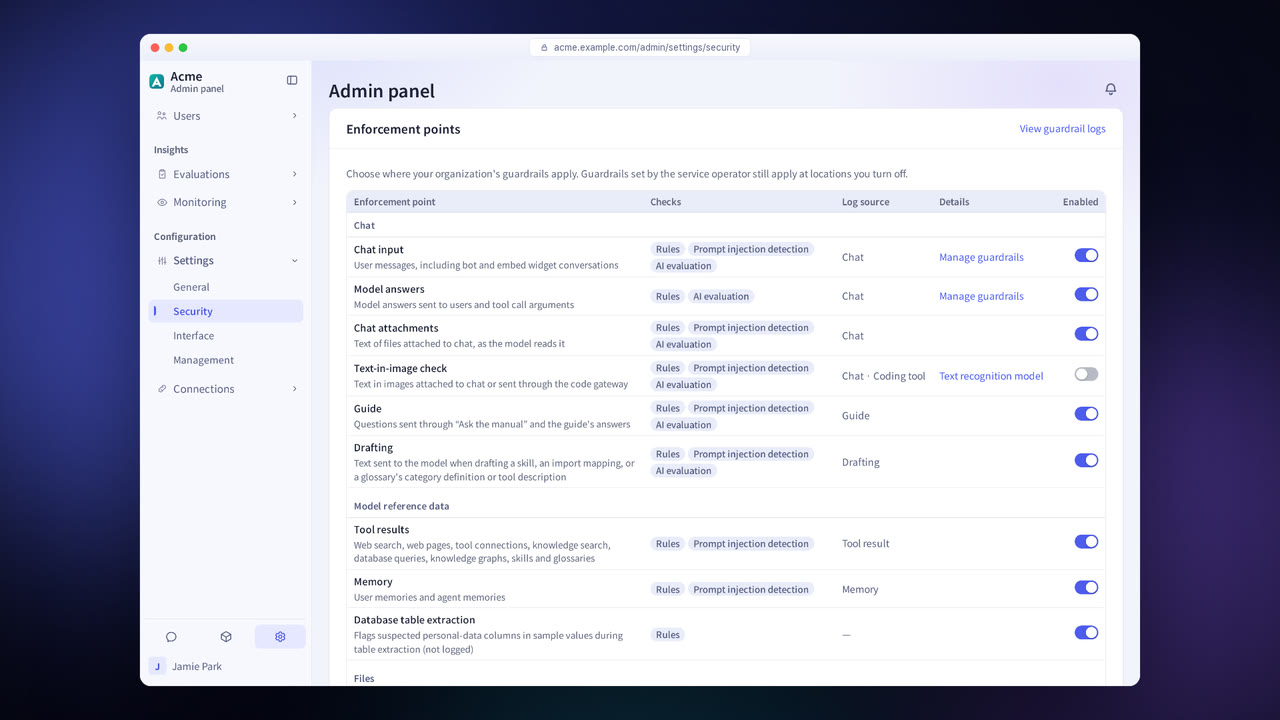
Apply guardrails where you need them, out of 13 enforcement points including chat input, model answers, attachments, tool results, the API and the code gateway.
Check the time, user, decision and detected items in the guardrail log.
Guardrail features in detail
13 personal data types
Also detects personal data in Korean formats, such as resident registration numbers, account numbers, card numbers and driver's license numbers.
6 handling methods
Choose from pseudonymize, mask, hash, redact, block and “log only.”
AI evaluation and discriminative model evaluation
A model reads the context of each sentence and checks it again.
Prompt injection detection
Finds hidden instructions. A separate model can be assigned to make decisions on attachments and tool results.
Pause after repeated violations
When it is on, a user is warned after 5 violations and blocked for 30 minutes after 10.
Confidential document similarity
Finds content similar to confidential documents you have registered.
Document sensitivity classification
Classifies documents into the standard 4 levels (Public · Internal · Confidential · Restricted) or the 3 levels of Korea's N2SF (C Classified · S Sensitive · O Open).
Image screening
Checks images and the text in them.
Tool call checks
Checks every tool call to confirm that the user asked for that action.
Settings each company configures
- Create guardrail policies and set their enforcement points.
- Set the handling method for each item. At input, you can also warn the user and have them enter a reason.
- Turn on Pause after repeated violations.
- Choose the document sensitivity classification scheme: the standard 4 levels or the 3 levels of Korea's N2SF.
Figures reflect the product as of October 2026.
Related pages
Frequently asked questions about guardrails
Doesn't pseudonymization make answers less accurate?
The model builds its answer from the relations between the pseudonyms, and the pseudonyms are changed back to the original values when the answer is shown to the user. Only pseudonyms are sent to the model.
Can I log detections without blocking the content?
Yes. Choose “Log only,” and the original text is sent unchanged while only the detection results are recorded in the guardrail log.
Where do guardrails apply?
At 13 enforcement points, including chat input, model answers, attachments, text in images, tool results, memory, database extraction, files, scheduled tasks, the API, the code gateway and Ask the guide. You set whether they apply at each point.
Which items in Korea's financial and public-sector guidelines do they address?
See the Security and compliance page for the check items each control addresses.
See it with
your own documents
In a consultation, we connect a few of your documents so you can check the answer quality for yourself. Send us your questions and our team will get back to you.