 Syncgate


Build the AI assistants
each department needs
An agent is an AI assistant with its prompt, connected data, features, auto evaluation and memory set in advance. Once you build one, such as an “Internal policy assistant,” everyone on the team gets answers by the same standard.
Before and after adoption
Everyone writes prompts differently, so answers to the same question vary in quality.
Share an agent with its instructions and data already set, and the whole team gets answers by the same standard.
How someone got a good answer stays only in that person's chat history.
The agent holds the instructions, data and features, and the work knowledge team members share is saved in agent memory.
When answer quality drops, it is hard to tell.
Auto evaluation scores answer quality, faithfulness and retrieval quality.
Four steps
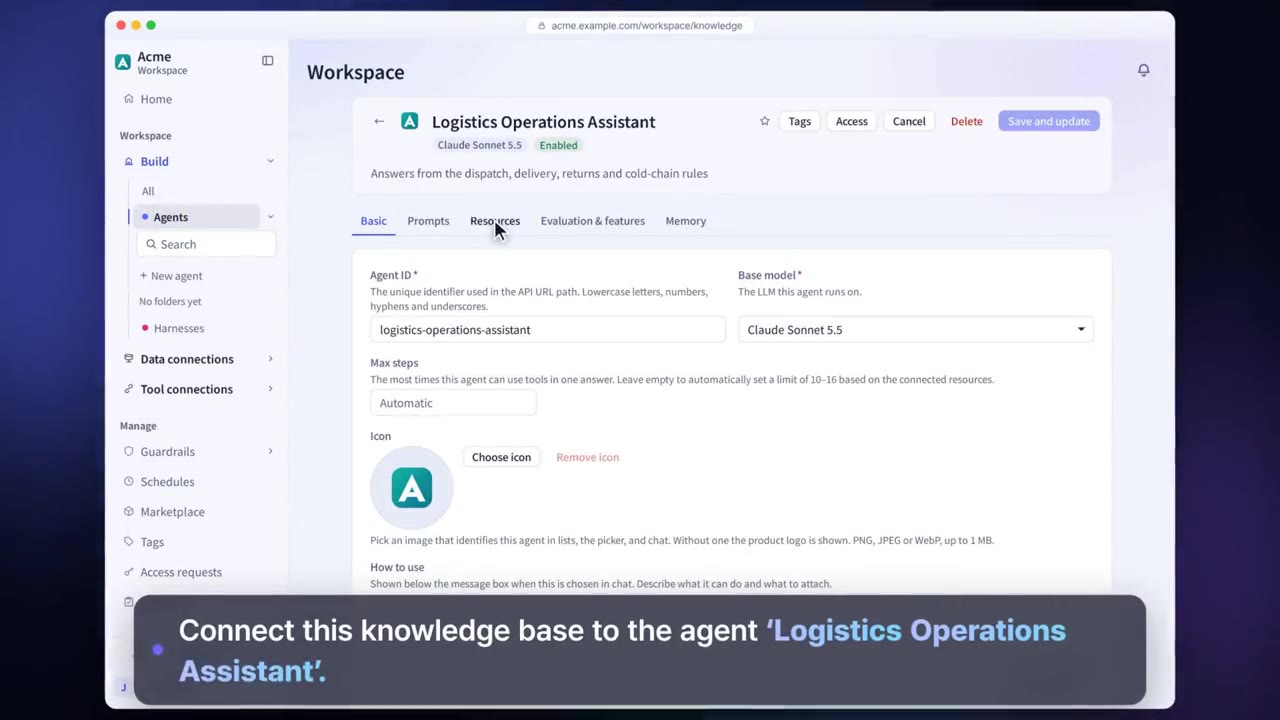
Choose a name, an icon and a base model. An agent can be turned on only after its model is set.
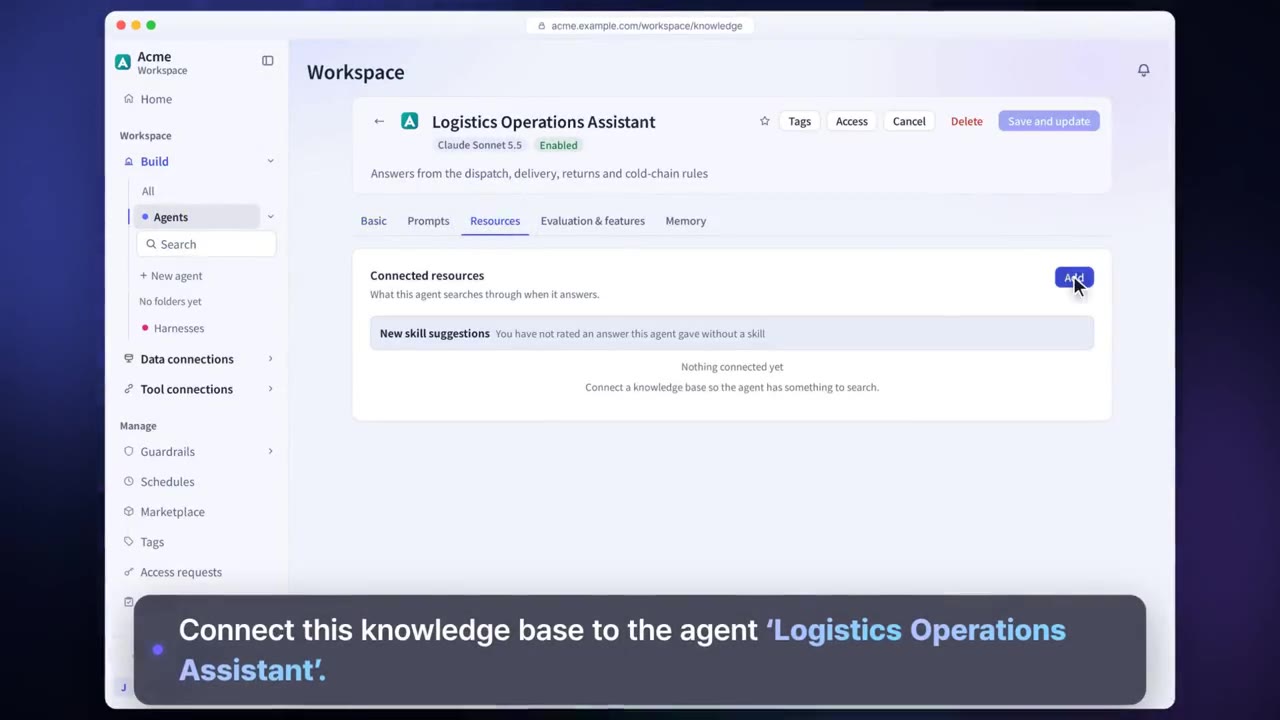
Write the prompt and connect knowledge bases, databases, glossaries, tools and harnesses.
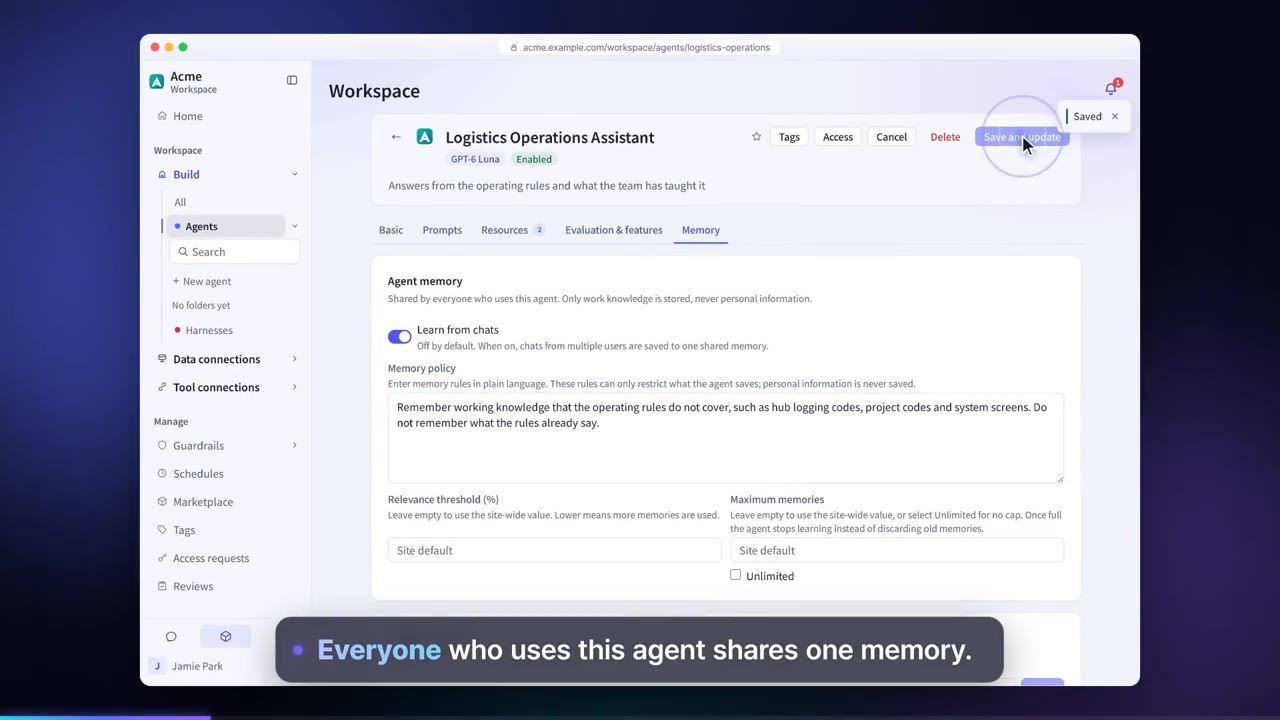
Turn on features such as web search and code execution, auto evaluation and memory.
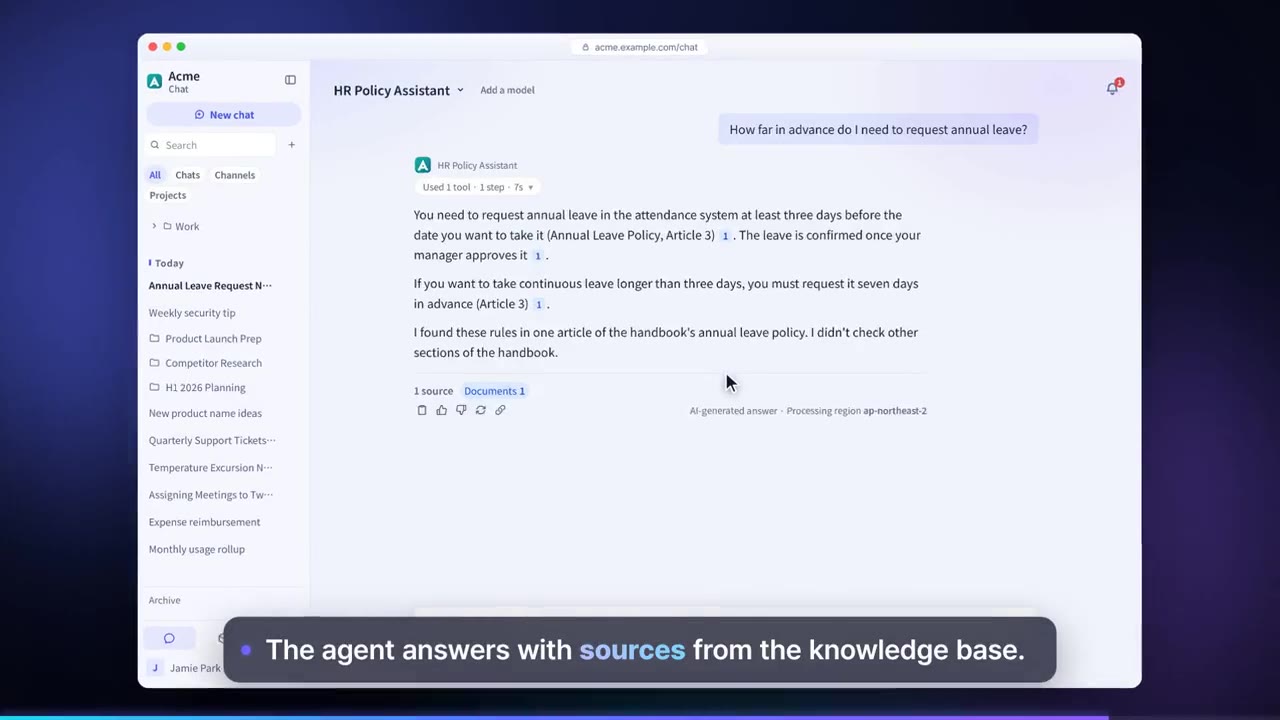
Share it with a team or group, and the same agent is available in chat, Teams, the web widget and the API.
Agent features in detail
Prompt
Sets how the agent answers and what it covers. You can also get a suggested prompt draft and edit it.
Resource connections
Connect the knowledge bases, databases, glossaries and knowledge graphs the agent searches when it answers.
Features
Turn on features such as web search, code execution, image generation and delivering answers as files.
Tools and harnesses
Calls tools in company systems and runs long tasks in harnesses.
Auto evaluation
An evaluation model scores answer quality, faithfulness and retrieval quality.
Agent memory
Collects the work knowledge team members share in conversations and uses it when answering other team members.
Chat API
Company systems can call the agents you build through the API.
Access requests
To connect data that has not been shared with you, request access from its owner.
Settings each company configures
- Use roles to decide who can create and share agents.
- Set which models agents can use in the model gateway.
- You can require approval through share review before sharing is widened.
Figures reflect the product as of October 2026.
Related pages
Frequently asked questions about agents
Can I build an agent without knowing how to code?
Yes. Set the name, model, prompt and data on screen. You can also get a suggested prompt draft and edit it.
Will an agent show me documents I don't have access to?
No. Answers use only the documents the person asking can see. Documents from Confluence, Jira, Slack, Box, Dropbox and others can also be set to keep the permissions of their source system.
Can other systems call it?
Yes. Through a Teams bot, the web widget or the Chat API (OpenAI-compatible), you can use the same agent from work tools and company systems. The Chat API can be used only when an administrator allows it.
See it with
your own documents
In a consultation, we connect a few of your documents so you can check the answer quality for yourself. Send us your questions and our team will get back to you.