 Syncgate


Find the right answer
without knowing which agent to ask
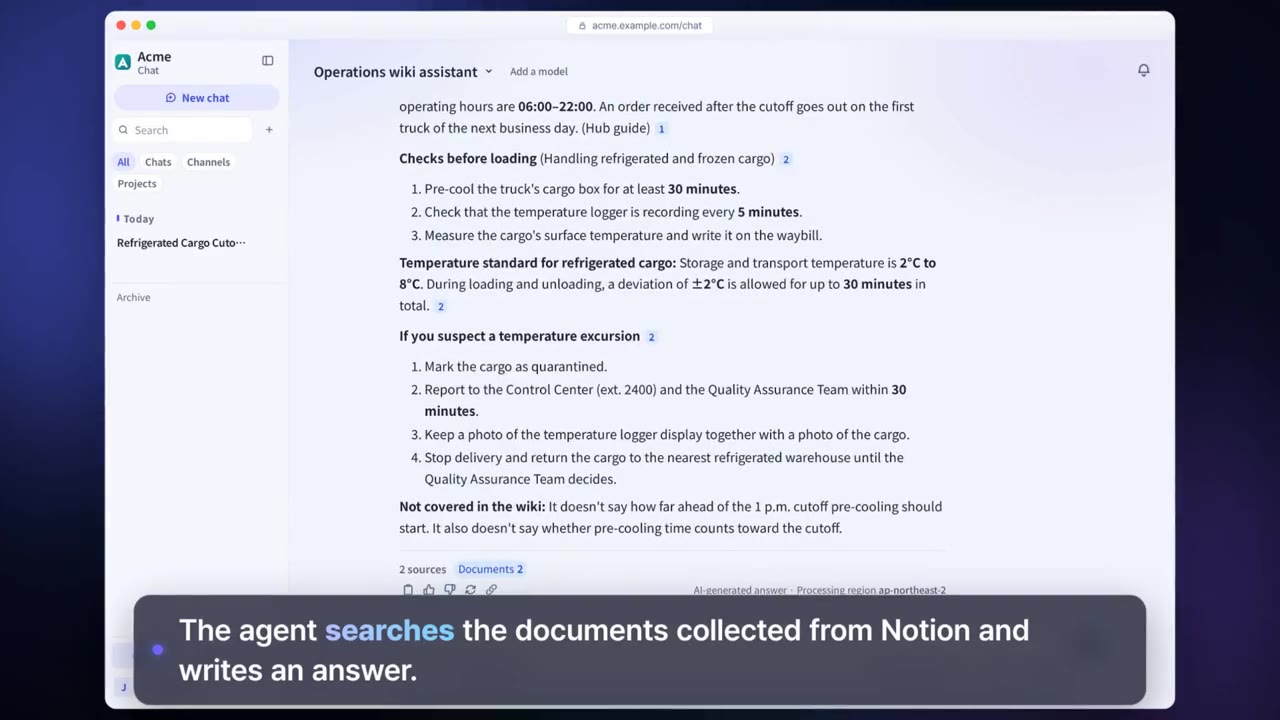
In chat, pick a model or an agent to talk to. Choose the unified agent, and it finds the data and agents that fit the question on its own, answers, and delegates tasks to several agents when needed.
Before and after adoption
Employees have to know which agent to ask.
The unified agent finds the resources and agents that fit the question, answers, and delegates tasks to up to 8 agents.
There is no way to check what an AI answer is based on.
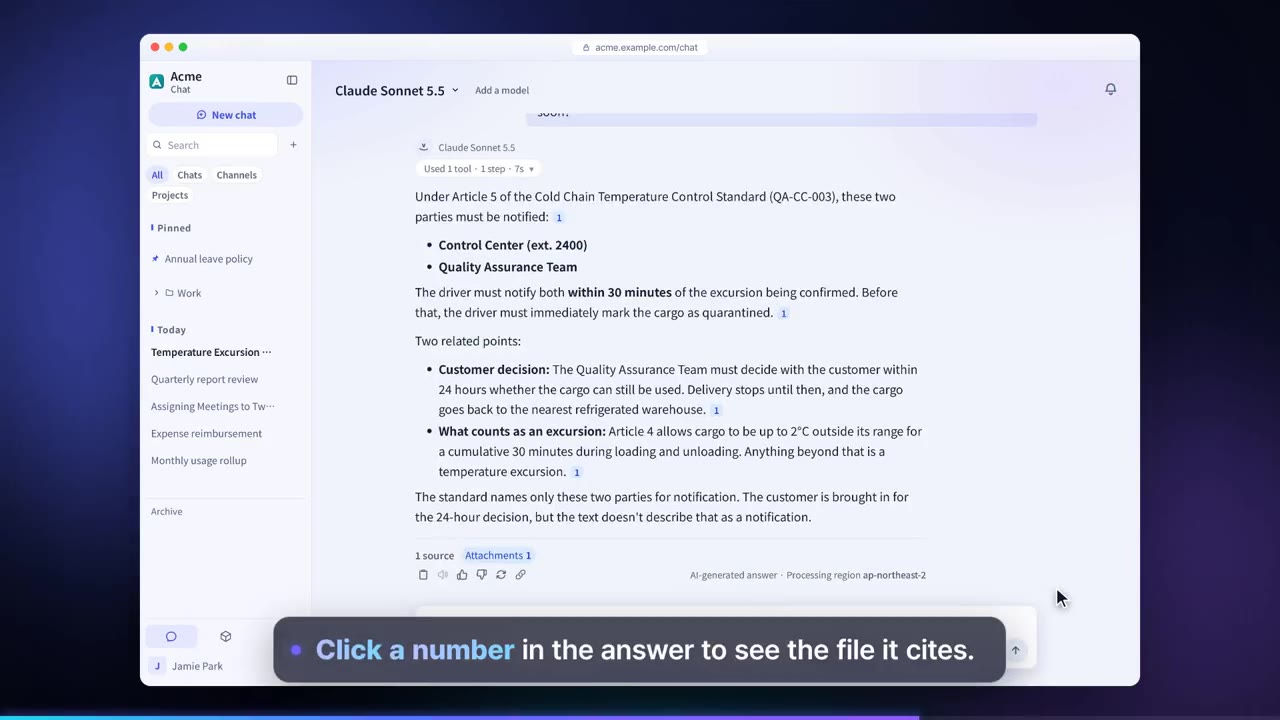
Every sentence carries a source number, and the answer also shows which tools ran and in what order.
Moving an AI answer into a document takes extra time.
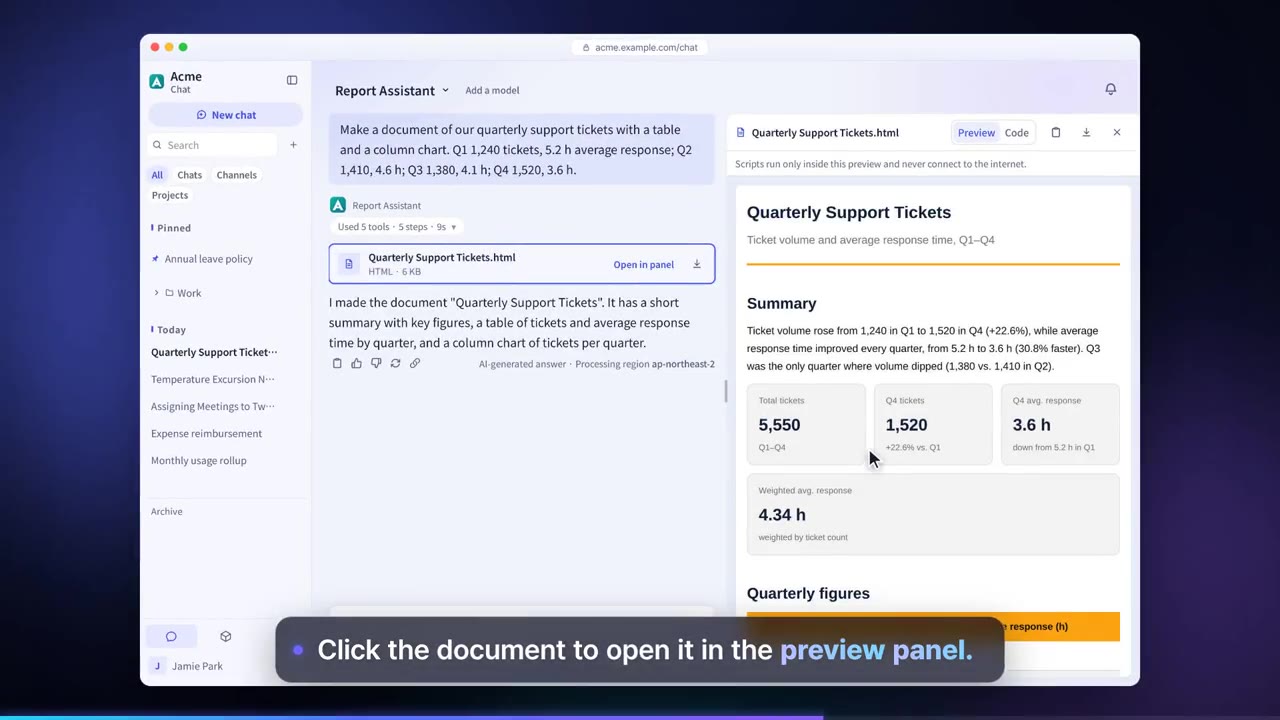
Get answers directly as Word, Excel, PowerPoint, PDF or Hangul (HWPX) files.
Four steps
In a new chat, choose a model, an agent, the unified agent or a harness.
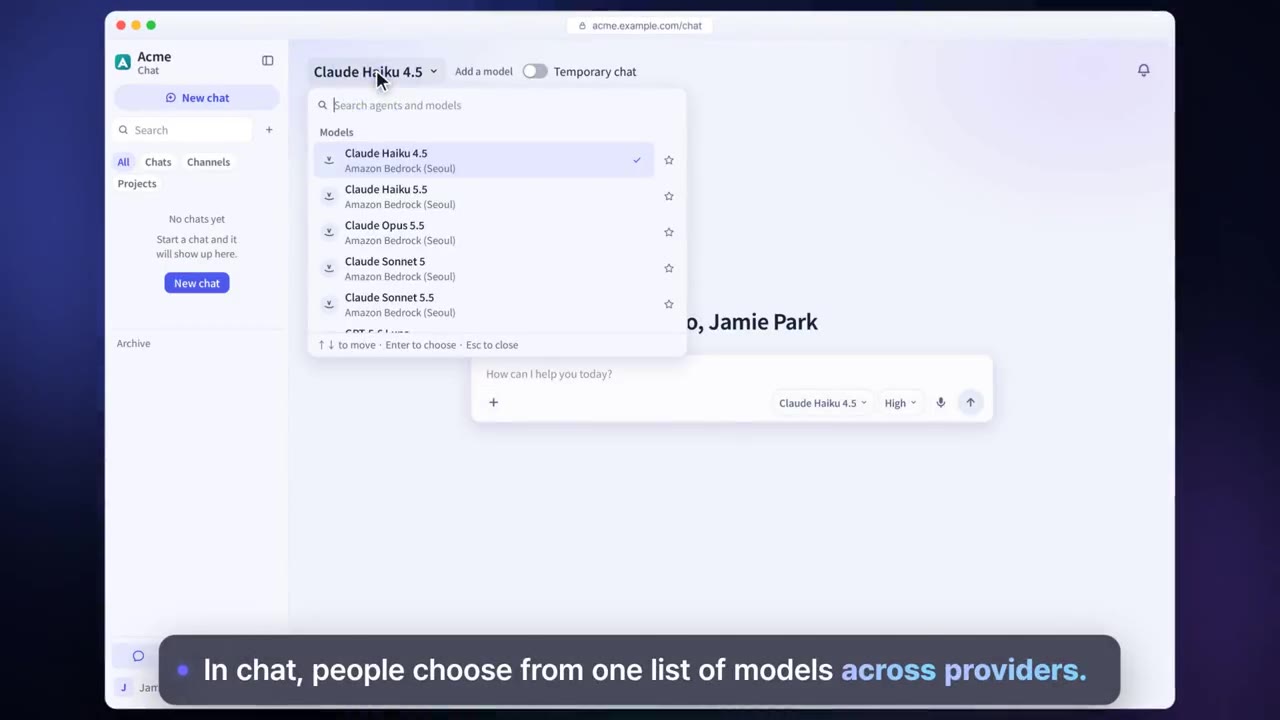
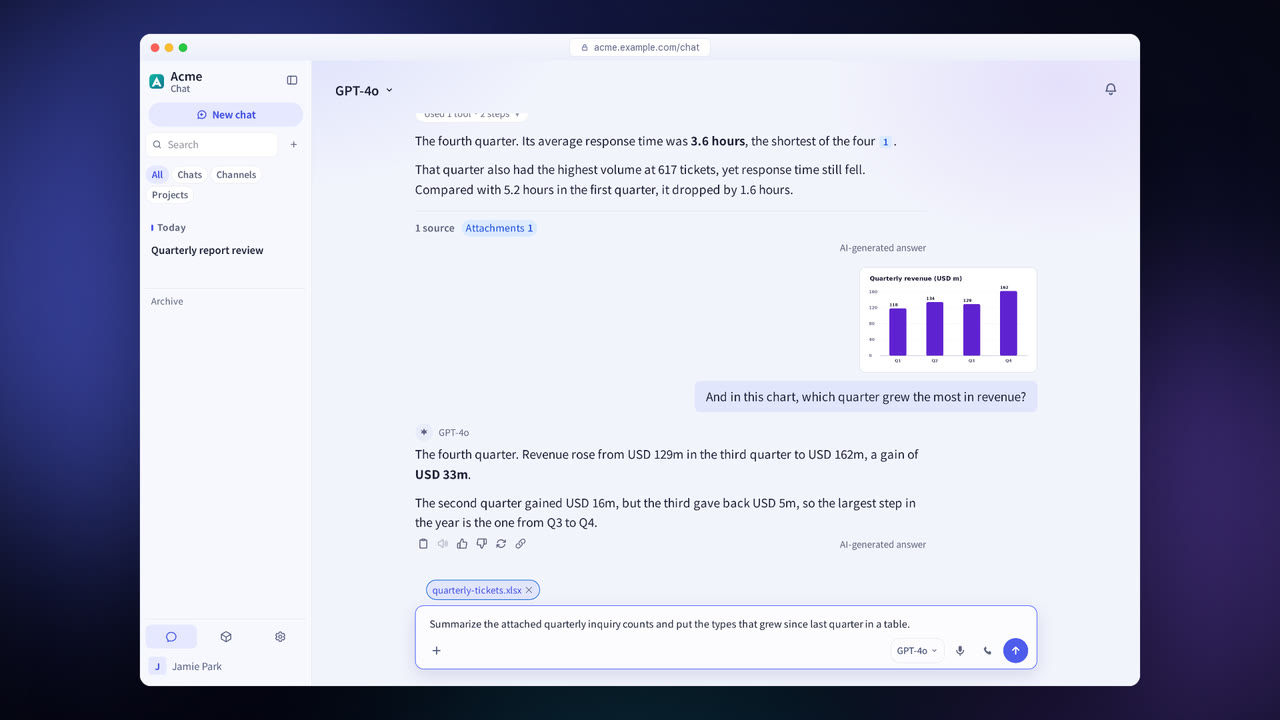
Type a question or attach files and images. You can also ask by voice.
Select a source number in the answer to see the original text, and check the order in which tools ran. Tools that change external systems ask for approval before they run.
Get the answer as a document file, or pass it to colleagues with a share link or an export.
Chat and unified agent features in detail
Unified agent
Finds the resources and agents that fit the question, answers, and delegates tasks to up to 8 agents.
Evidence and sources
Adds a source number to every sentence and shows the source documents in a side panel.
Approval before running
Asks the user before running a tool, and always requires approval for actions that cannot be undone.
File and image attachments
Attach documents and images to your question.
Web search and deep research
Searches the web to answer, and compiles the results of several rounds of searching into a report.
Code execution
Runs code in an isolated runtime to do calculations and create charts.
Image generation and voice conversation
You can create images, ask by voice and hear the answer.
Answers as files
Get answers as Word, Excel, PowerPoint, PDF or Hangul (HWPX) files.
Ask the guide
Ask how to use the product right in chat and get answers based on the manual.
Settings each company configures
- Set the models and agents each user and group can choose in chat.
- Turn feature connections such as web search, code execution and voice on or off.
- Apply guardrails to chat input and answers.
- Set the retention period for conversation history.
Figures reflect the product as of October 2026.
Related pages
Frequently asked questions about chat and the unified agent
Which models does it use?
Users choose from the models an administrator has connected to the model gateway and allowed. Models from 23 providers and models your company runs itself can be connected.
Does it work with Hangul files?
Yes. Answers can be returned as Hangul (HWPX) files, and it also reads HWP files.
Can I show a conversation to someone else?
Yes. You can create a share link or export the conversation. The person who created a share link can deactivate it.
See it with
your own documents
In a consultation, we connect a few of your documents so you can check the answer quality for yourself. Send us your questions and our team will get back to you.