

Bring scattered company documents
into a knowledge base
Connectors bring in documents from company systems at regular intervals and index them. Once a connector is registered on the admin screen, sync and indexing run automatically. For Confluence, Jira, Slack, Box, Dropbox and others, each document can be set to follow the access permissions of the source system.
Bring scattered company documents
into a knowledge base
Connectors collect and index documents from your company systems on a schedule. Agents answer from these documents and cite a source for every sentence.
 Syncgate
Connectors by category, with source permissions
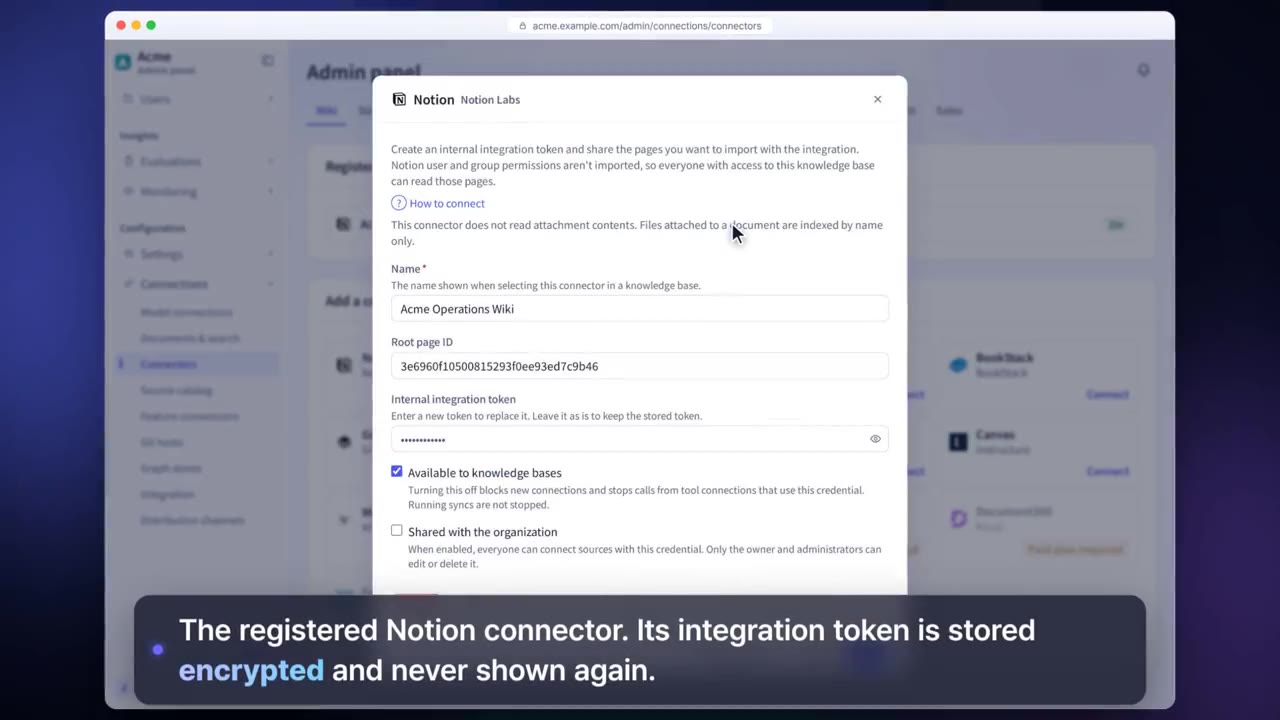
Register a connector in the admin console and collection and indexing run automatically. Tokens are stored encrypted. For Confluence, Jira, Slack, Box, Amazon S3 and others, each document can be set to follow the access permissions of its source system.
Before and after adoption
The documents people need are scattered across wikis, drives, messaging and tickets.
Connect 38 document sources with connectors and search them all at once in a knowledge base.
To use documents with AI, people have to copy and upload them separately.
Documents stay where they are, and are brought in and indexed at regular intervals.
Tables in PDFs and scanned documents are not read correctly.
Extraction engines and processing profiles read each type of document in the way that suits it.
Four steps
Choose the system to connect from the source catalog and enter its credentials. Authentication tokens are stored encrypted.
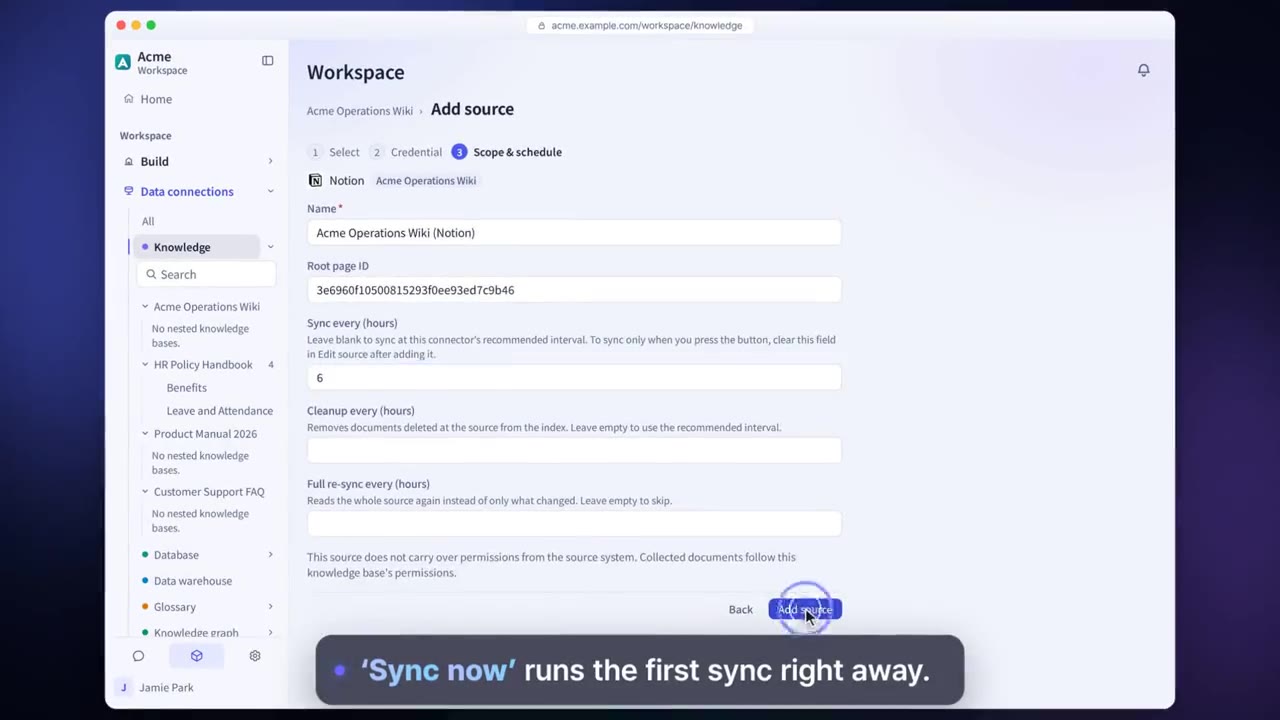
Choose the spaces, folders and channels to bring in, and how often to sync.
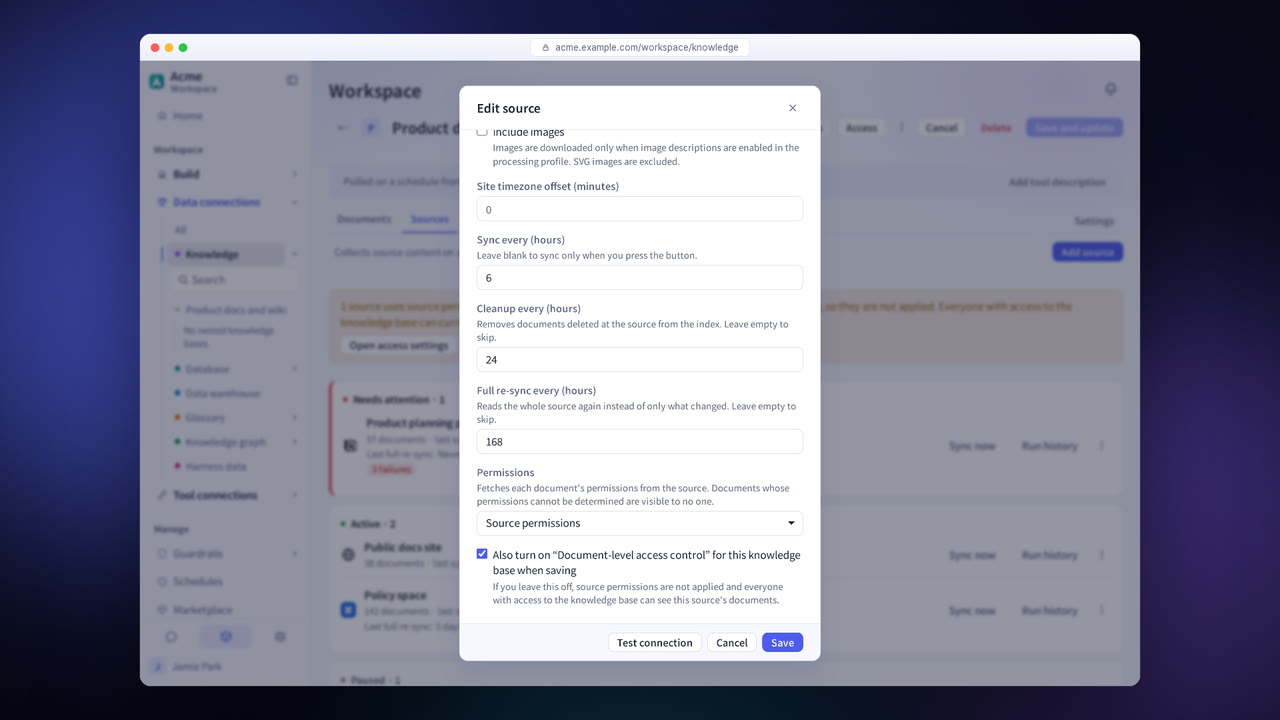
For Confluence, Jira, Slack, Box, Dropbox and others, choose whether to keep the source's access permissions. Other sources follow the knowledge base's permissions.
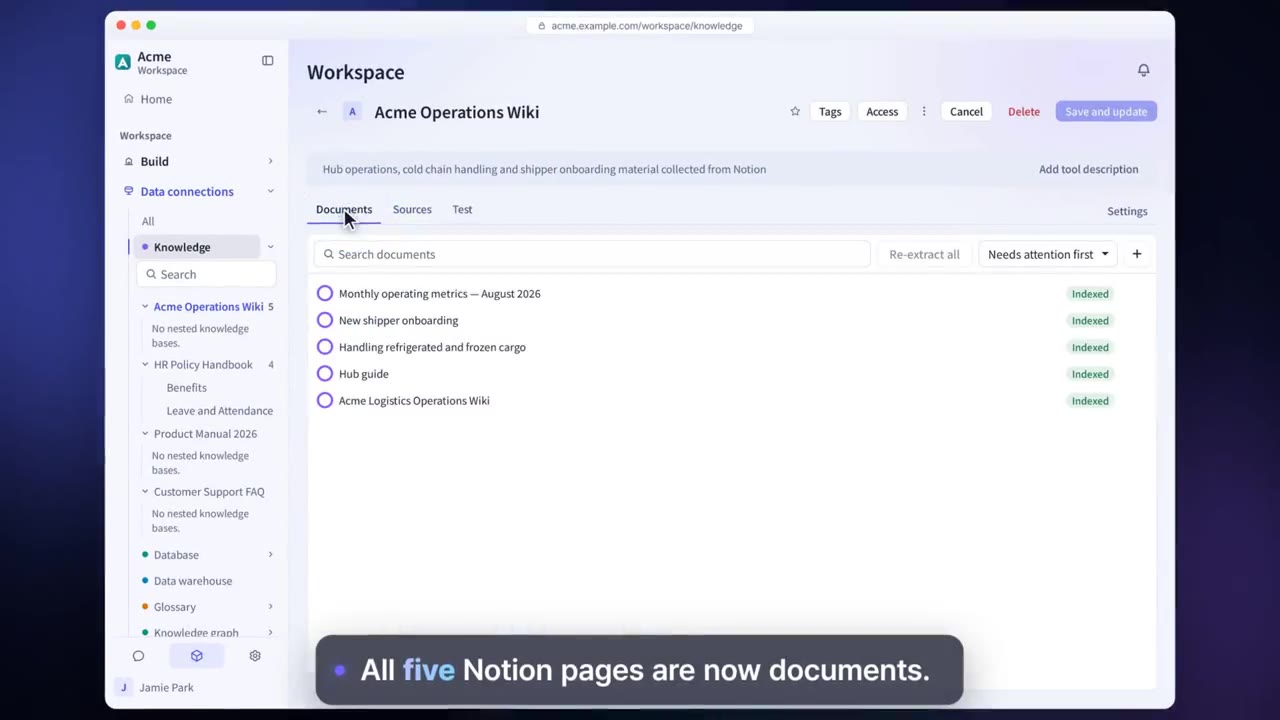
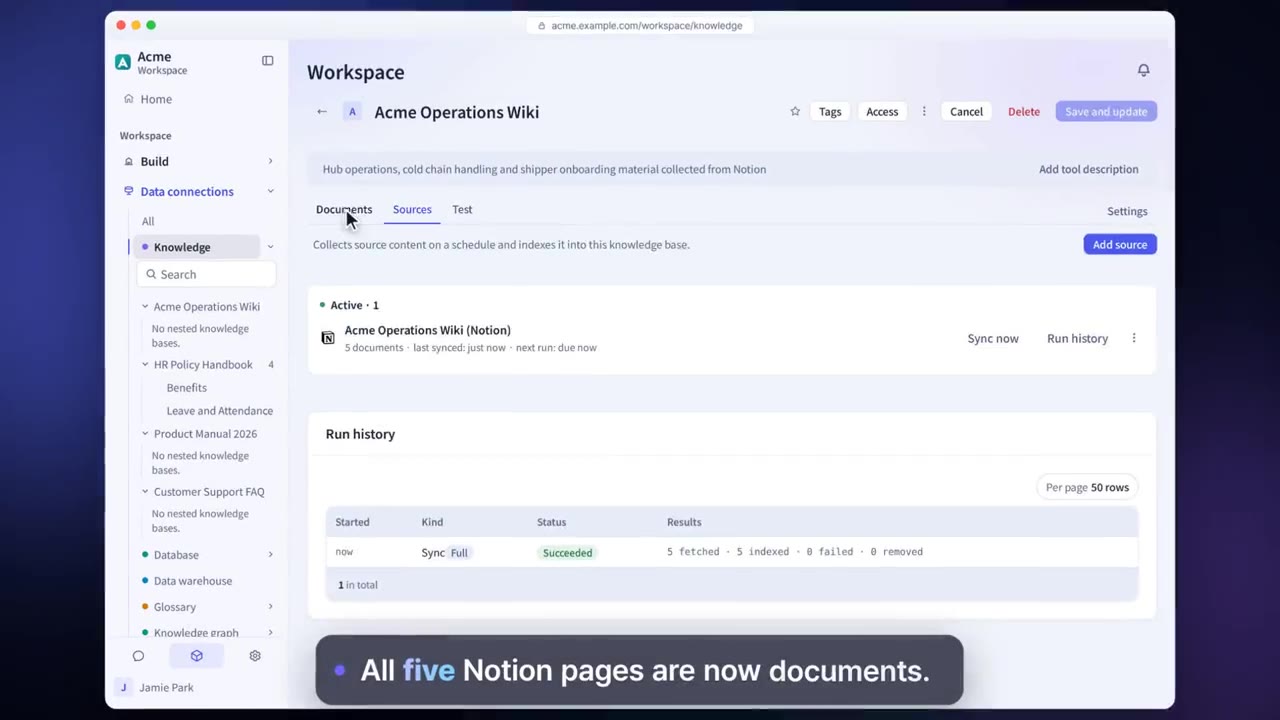
Check the connection status and run history on the Sources tab.
Document connector features in detail
38 document sources
Connect document sources in wikis, storage, messaging, ticketing, projects, development, email, the web, public data and research.
Example sources
Connect Confluence, Notion, Google Drive, Box, Slack, Jira, GitHub, Gmail, Amazon S3 and more.
Public and research sources
Bring in data from Open DART, SEC EDGAR, Korea's Public Data Portal (data.go.kr) and Europe PMC.
Apply source permissions
The Confluence, Jira, Slack, Box, Dropbox, Amazon S3, Google Cloud Storage, Azure Blob Storage and GitLab connectors can be set to follow the source system's permissions for each document.
Extraction engines and processing profiles
Set how text, tables and images are read for each type of document.
Data extraction harness
A harness reads and indexes files the knowledge base cannot read.
Settings each company configures
- Register connectors and enter their credentials.
- Set the sync interval and scope.
- Set the processing profile and extraction engine for each document type.
Figures reflect the product as of October 2026.
Related pages
Frequently asked questions about document connectors
Are documents copied?
The content needed for indexing is brought in and made searchable, and the original documents stay in their own systems.
What happens to documents deleted at the source?
On the next sync, documents no longer in the source are removed from the knowledge base.
Can I see in advance which sources can be connected?
Yes. During a consultation, we show you the list of sources, and you can connect some of your actual documents to check that the connection works.
See it with
your own documents
In a consultation, we connect a few of your documents so you can check the answer quality for yourself. Send us your questions and our team will get back to you.